9
65
17
16
12
1
10
8
9
2
6
4
3
5
7
11
Use and maintenance manual Rev. 12-2010
ENGLISH
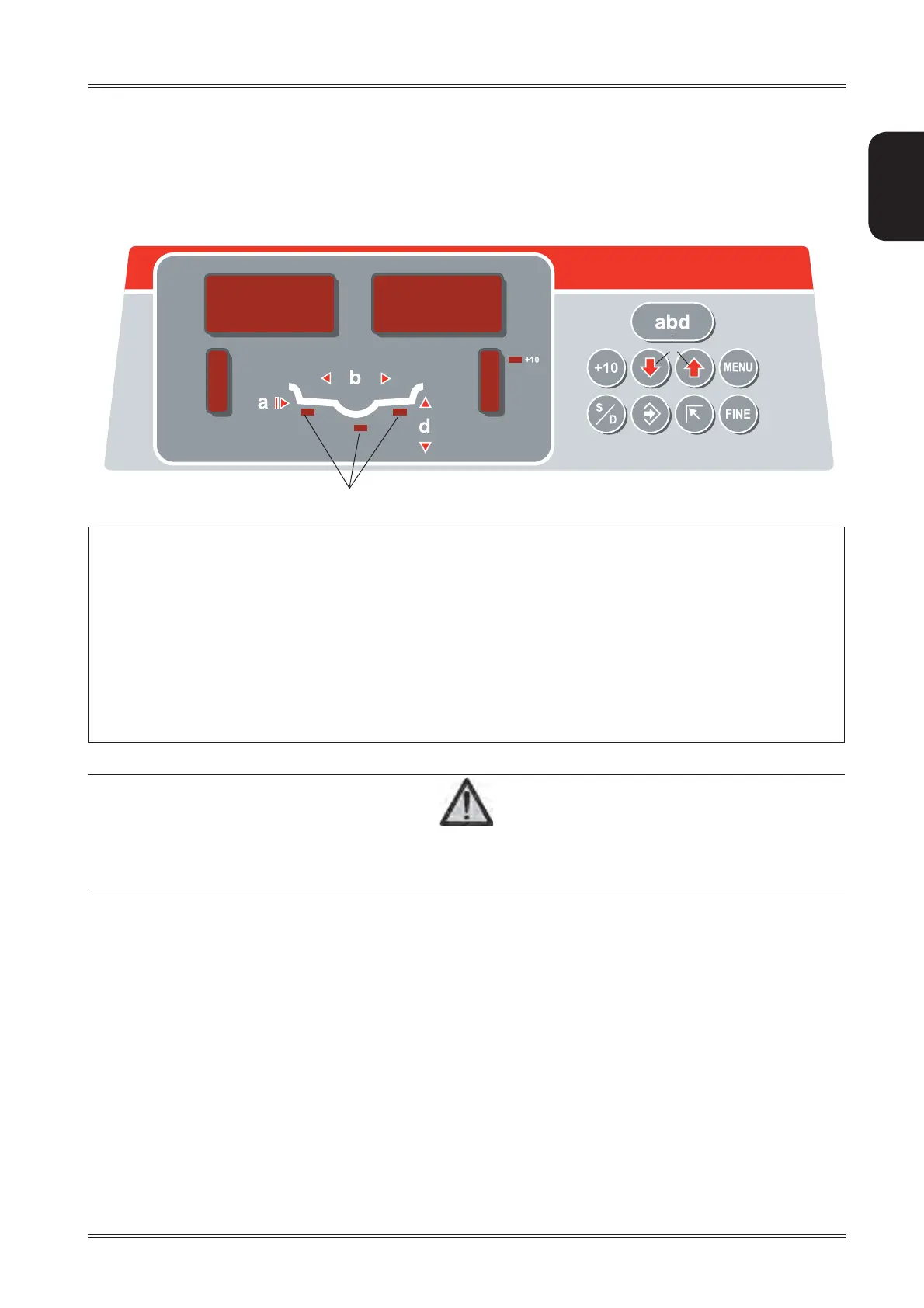
Control panel
1-2 UNBALANCE VALUE digital indicators Inside/outside
3-4 UNBALANCE POSITION indicators Inside/outside
5 Distance extension enable button
6 Buttons for manual setting of DISTANCE / DIAMETER / WIDTH
7 FUNCTION MENU button
8 Correction mode selection button
9 MENU selection confi rmation button
10 HOME button
11 Unbalance reading button < 5 g (0.25 oz)
12 Selected correction mode indicators
CAUTION
PRESS THE BUTTONS WITH YOUR FINGERS.
N
EVER USE THE COUNTERWEIGHT GRIPPERS OR OTHER POINTED OBJECTS!
5. Control panel



 To Next Page