1000V
COMuA/mA
10A
CAT III
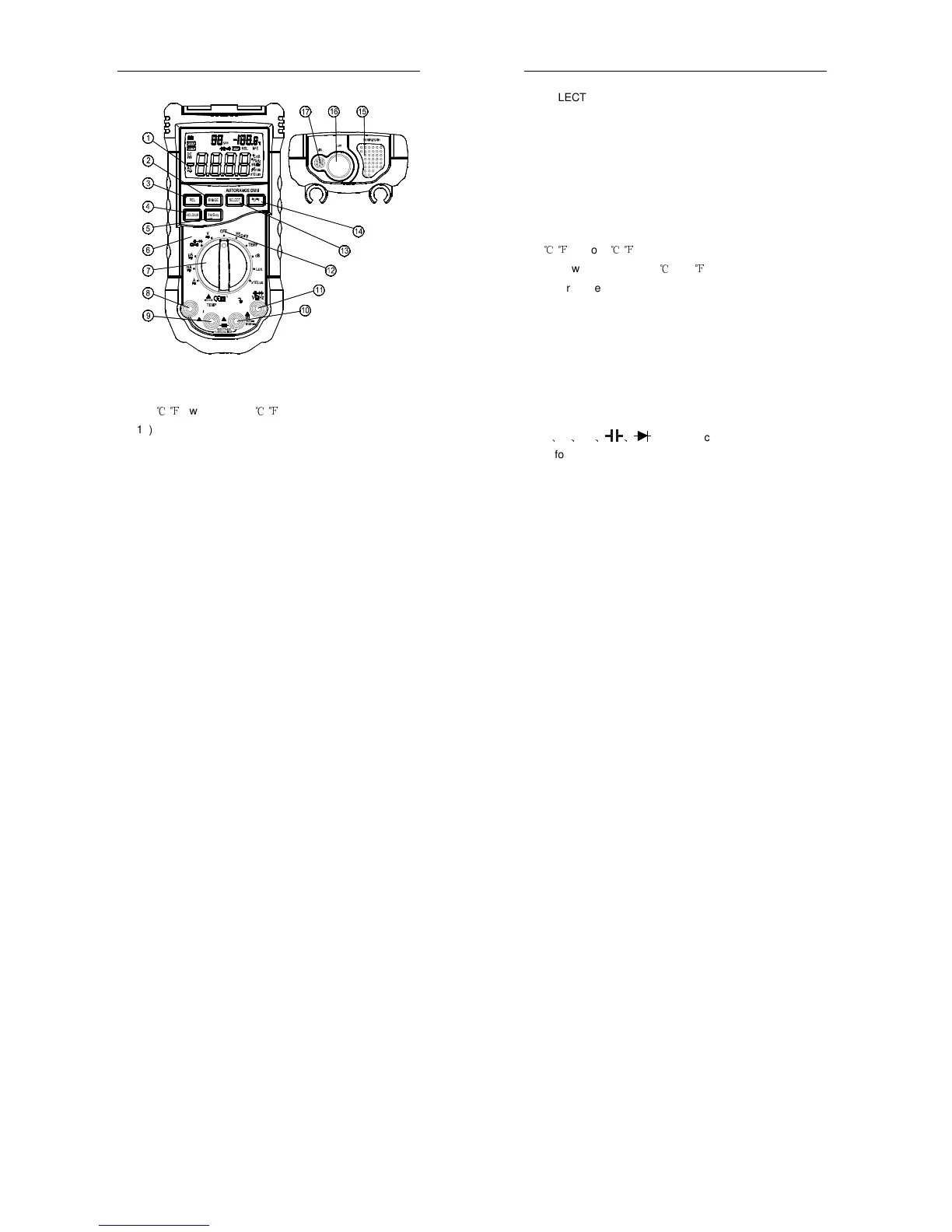
12) OFF - switch of power
13) Function switch button (SELECT)
14)
℃
/
℉
switch button (
℃
/
℉
)
15) Humidity & Temperature sensor
16) Light sensor
17) Microphone
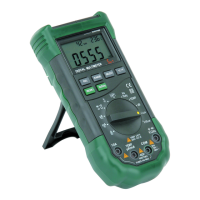
2.2 SWITCH, BUTTONS AND INPUT JACKS
HOLD/B.L. Button
- for holding the reading or control backlight
- 8 -
DIGITAL MULTIMETER
SELECT Button
- for switching among measuring functions
RANGE Button
- for switching between auto and manual ranges.
Hz/DUTY Button
- for switching between Hz and duty measurement.
REL Button
- for switching to relative measurement.
℃
/
℉
Button (
℃
/
℉
)
- for switching between
℃
and
℉
Rotary Selector
- for selecting functions and ranges.
OFF Position
- for turning off the power.
10A Input Jack
- for measuring current 0 ~ 10A.
mA/µA/TEMP Input Jack
- for measuring current 0 ~ 400mA and temperature.
V
、
Ω
、
Hz
、 、
Input Jack
- for measuring voltage, resistance, frequency, duty,
capacitance, diode, and continuity.
COM Input Jack
- common input connection for current, voltage,
resistance, frequency, duty, capacitance, diode, continuity,
temperature measurement.
- 9 -


 To Next Page