Hygro-Thermometer
6
6. DATA LOGGER
This section will explain how to store data (data logger) in memory and how to recall data from
memory.
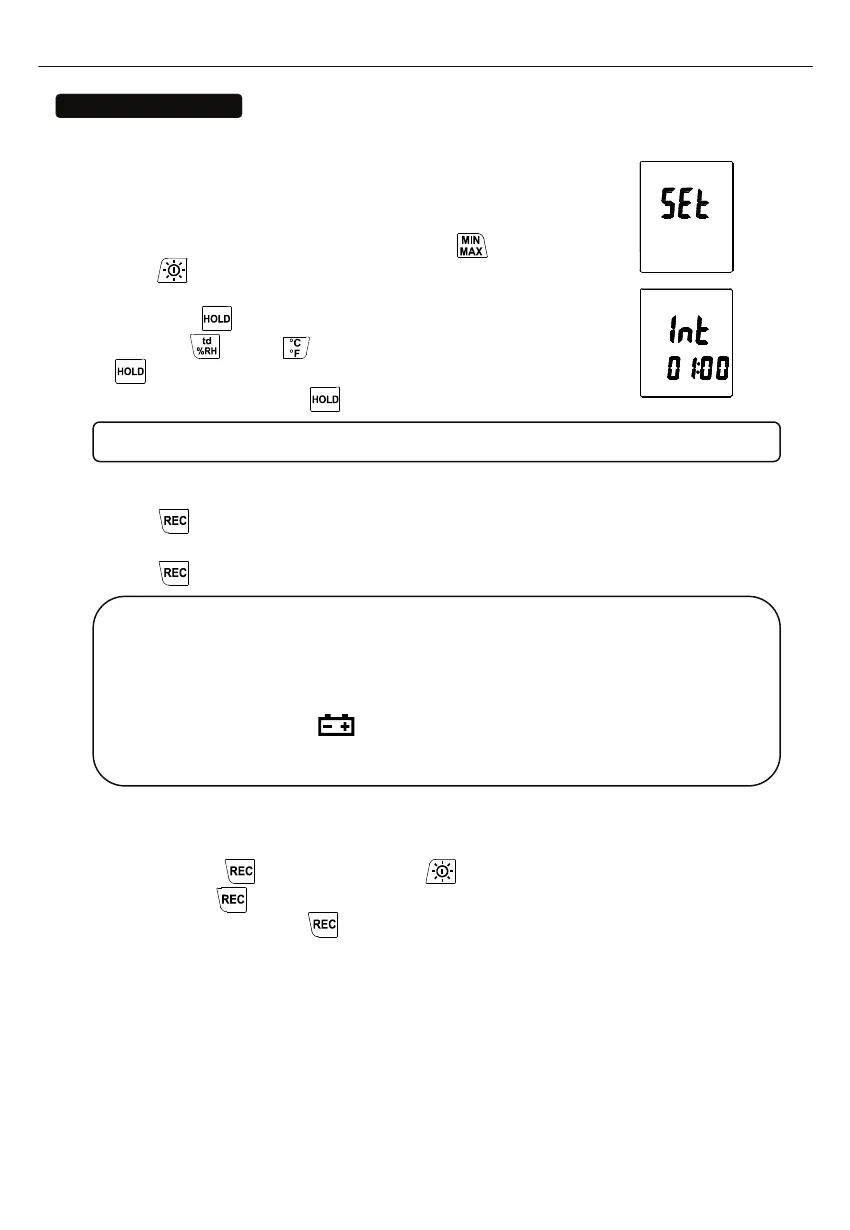
6.1 SETTING INTERVAL TIME FOR DATA STORING:
(1) Turn off the unit.
(2) Enter SETUP mode by pressing and holding
button and then
press
power button to turn on the unit. “SEt” blinks on the LCD
screen.
(3) Press INTV (
) button to set interval time.
(4) Press ▲ (
) or ▼ ( ) to adjust the interval minute, press INTV
(
) button again to adjust second.
(5) When finished, press INTV (
) button to exit SETUP mode.
Note: To abort during the process, press power button to exit SETUP mode.
6.2 START DATA LOGGER (STORING DATA IN THE MEMORY):
(1) Press
button to start data logger (storing the measured values in built-in memory).
(2) REC symbol lights up on LCD screen.
(3) Press
button again to stop recording.
Note:
During recording period, most of the buttons are disabled, such as the td %RH, °C/°F, etc.
All other settings must be made before starting the data logger function.
When the memory is full (16000 recorders), REC symbol will blink on the LCD screen.
The data logger stops.
When battery power low
symbol lights up on the screen), data logger cannot be
started. If during data logger, the battery starts running low, data logger will stop
automatically.
(3) CLEARING DATA:
(1) Turn off the unit.
(2) Press and hold
button and then press power button to turn on the unit.
(3) Keep holding
button, then LCD will show "CLr" and “SURE 5, 4…1, 0” until clean the
memory. (To abort, release
button before “SURE 0”.)



 To Next Page