4
FIRESTAR COMBUSTION CONTROLLER - VERSION 6.7 • OPERATION MANUAL
Overview
FireStar Combustion Controller
Status
Fan Primary Secondary Connected
Power
IGNITION
AIR
1
3
2
7
6
5
4
8
e FireStar Combustion Controller uses a number of sensors and
sophisticated programming to optimize the operation of the outdoor furnace.
e controller will automatically adjust the amount of primary and secondary
air to optimize the gasication process, making the outdoor furnace more
ecient and clean burning. Some of the variables used by the controller can be
changed, allowing you to tailor the furnace operation to your heat load and to
the type of wood being burned.
If the controller detects an abnormal condition (for example, the water level is
low or the re has gone out because there is no more wood in the rebox), the
controller will display a message to alert you.
Before operating the FireStar Combustion Controller, become familiar with
the information the control panel provides and with the procedures for making
changes to settings.
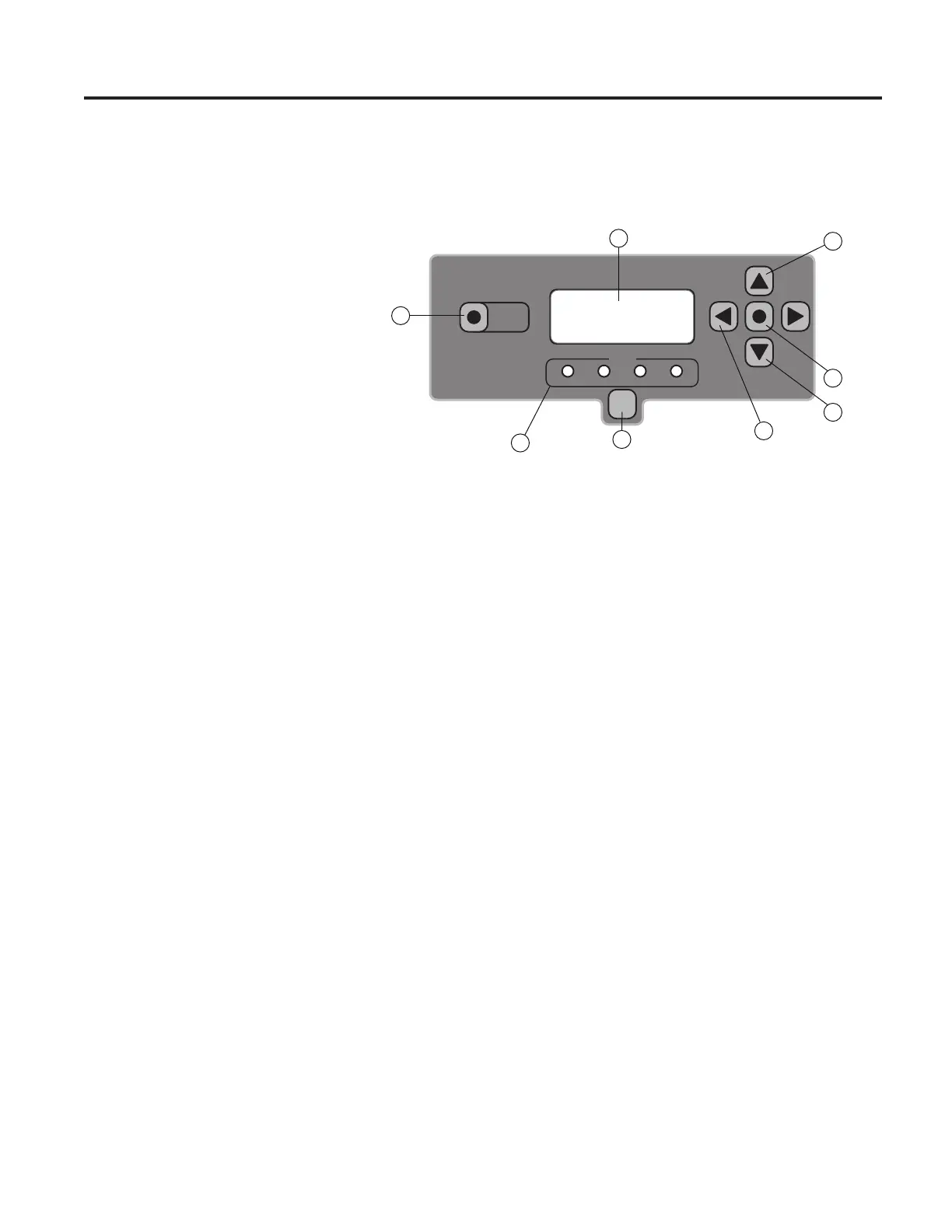
1. Power button - used to turn the FireStar Combustion Controller on and
o. It does not disable all electrical power to the furnace. To disable
electrical power to the outdoor furnace, turn o the power using the
circuit breaker in the pump compartment.
2. LED display - alternates between the furnace water temperature (displays
for 6 seconds) and the combustion temperature in the Reaction Chamber
(displays for 3 seconds). Other information will also be displayed on the
LED display depending on setting, modes, alarms, warnings, etc.
3. Down arrow button - if quickly pressed four times, the display will stop
alternating and will be xed on water temperature. e far right decimal
point will be illuminated when this feature is active.
4. Up arrow button - if pressed during normal operation, the LED display will
show the combustion temperature in the Reaction Chamber.


 To Next Page