Page: 15 of 15
Resetting Errors
The procedure to reset the error display diers between error codes and there are 3 ways to reset: Auto, Power O,
and Manual. See “List of Errors codes” in the Chofu installation manual for the procedure to reset each error code.
Auto: Automatically. Once it returns to normal condition, the error will be reset. When the unit stops, it may
not be possible to reset automatically. Then, it needs to be reset manually.
Power O: Manually. If Heat pump unit returns to normal condition, turn O the power supply once and turn On
again, then the error will be reset.
Manual: Manually. To reset the error, press – and + button of the Master Remote controller at the same time for
3 seconds, or press Reset SW on the PCB (Terminal).
If the error persists please contact our technical aftersales team for assistance with the fault:
aftersalestechnical@centralheating.co.nz or call 0800 357 1233
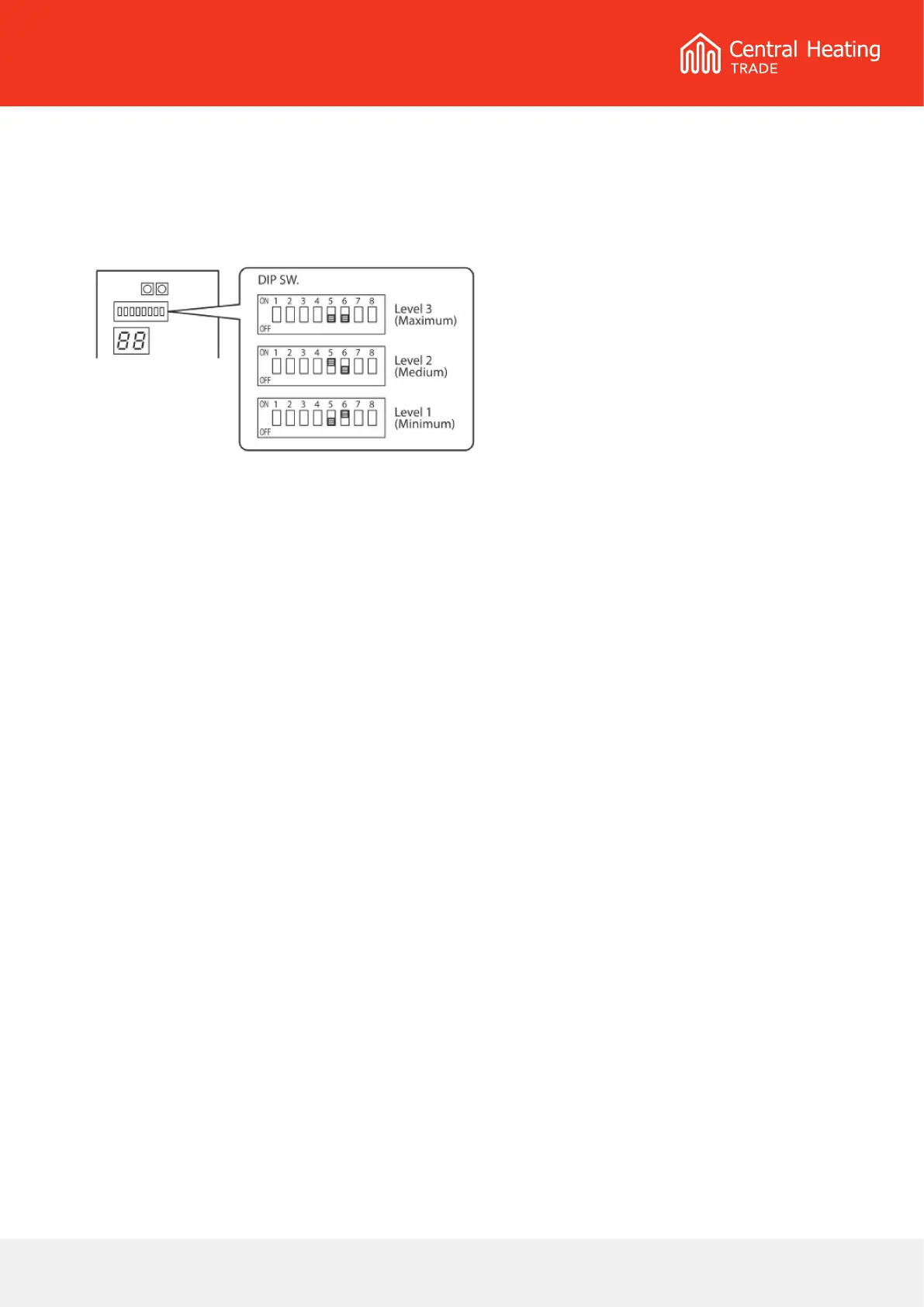
If an excessive ow rate occurs due to low pressure loss of the circulating loop, adjust the Main water pump
speed so that the ow rate is reduced.
Using the Dip switches on the PCB (Terminal) – as noted on the above diagram, 3-Pump speeds are available.
Be aware that an excessively low ow rate may cause problems including diminished capacity, poor circulation, or
system errors.
At the factory shipment, both SW5 and SW6 are O, which means the pump will operate at maximum.
Additional Settings



 To Next Page