0800 357 1233 | info@centralheating.co.nz | trade.centralheating.co.nz
Page: 7 of 15
Heat Pump
Controller Settings
Procedure for resetting parameters
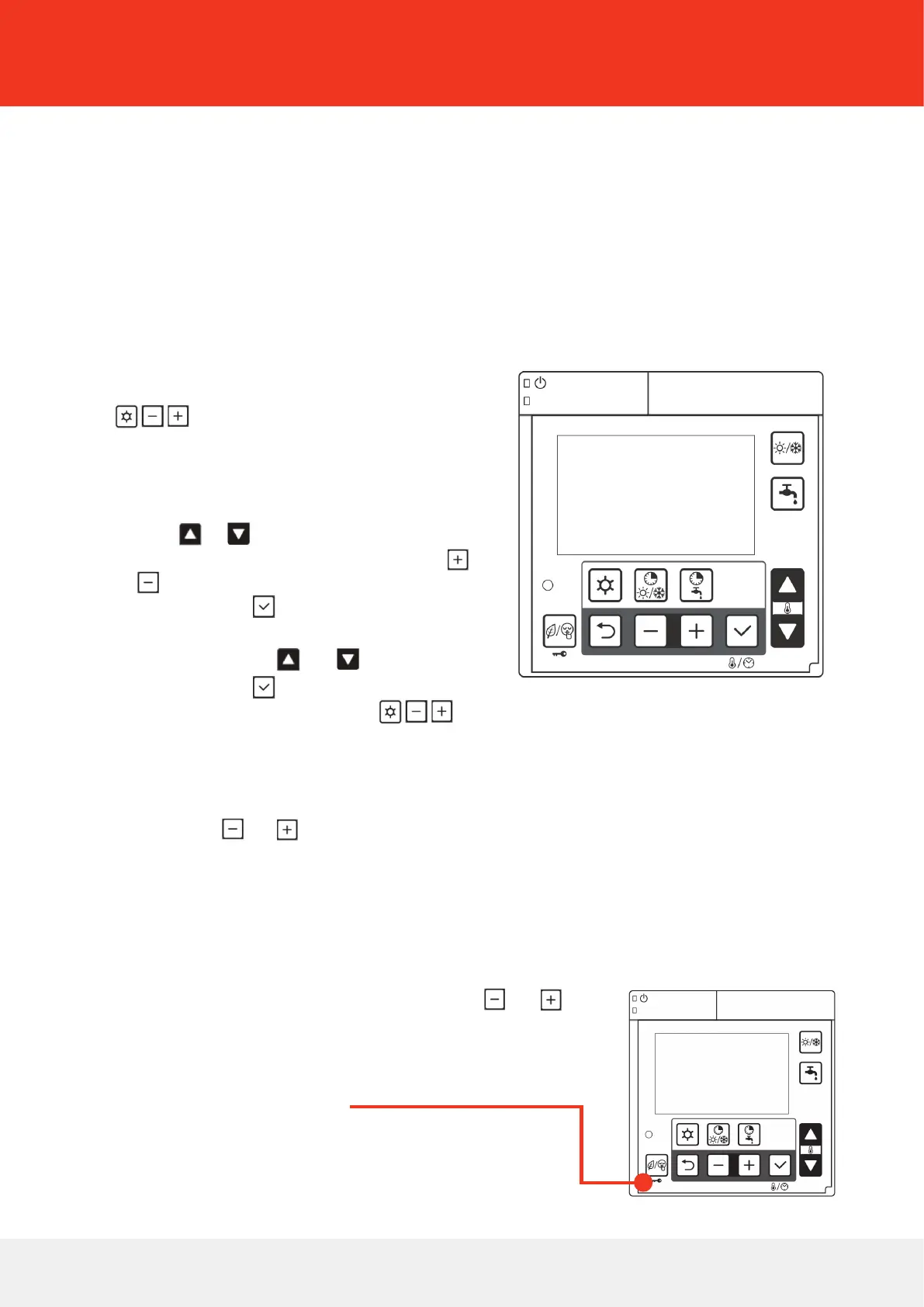
In SERVICE level, all parameters can be
reset to the default when the LOW tari/
Night mode button is pressed and held
for 10 seconds.
For service level
1. Press the Menu, and buttons simultaneously for 3 seconds. The INSTALLER level setting menu
will be displayed.
1. Enter the password to access the SERVICE level, specify parameter number “9999” and enter password
“738”, and press the Set button to conrm entry of the password.
1. “SErv” (means SERVICE) will be displayed in the position of room temperature display. In SERVICE level,
all parameters can be accessed. The procedures of setting parameters are same as INSTALLER level.
2. To return to normal operation, press and hold the Menu, and
for 3 seconds, or simply do nothing for approximately 10 minutes.
The heat pump controller must be installed to manage and congure control parameters.
For install level
1. For Install parameters hold down the 3 buttons
together for 3 seconds.
2. The parameter number (4 digits) will be displayed,
and the value of the parameter. (2 of the 4 parameter
digits will be ashing).
3. Change these (ashing) numbers using the Up/Down
buttons, or
4. Change to the other 2 digits using the +/– buttons,
or and changes these too if necessary.
5. Press the Set button
6. The parameter value will now ash.
7. Change value using the or buttons.
8. Press the Set button to conrm the new value.
9. To default back to the main menu, press together for
3 seconds. The controller will default back to the main menu screen.



 To Next Page