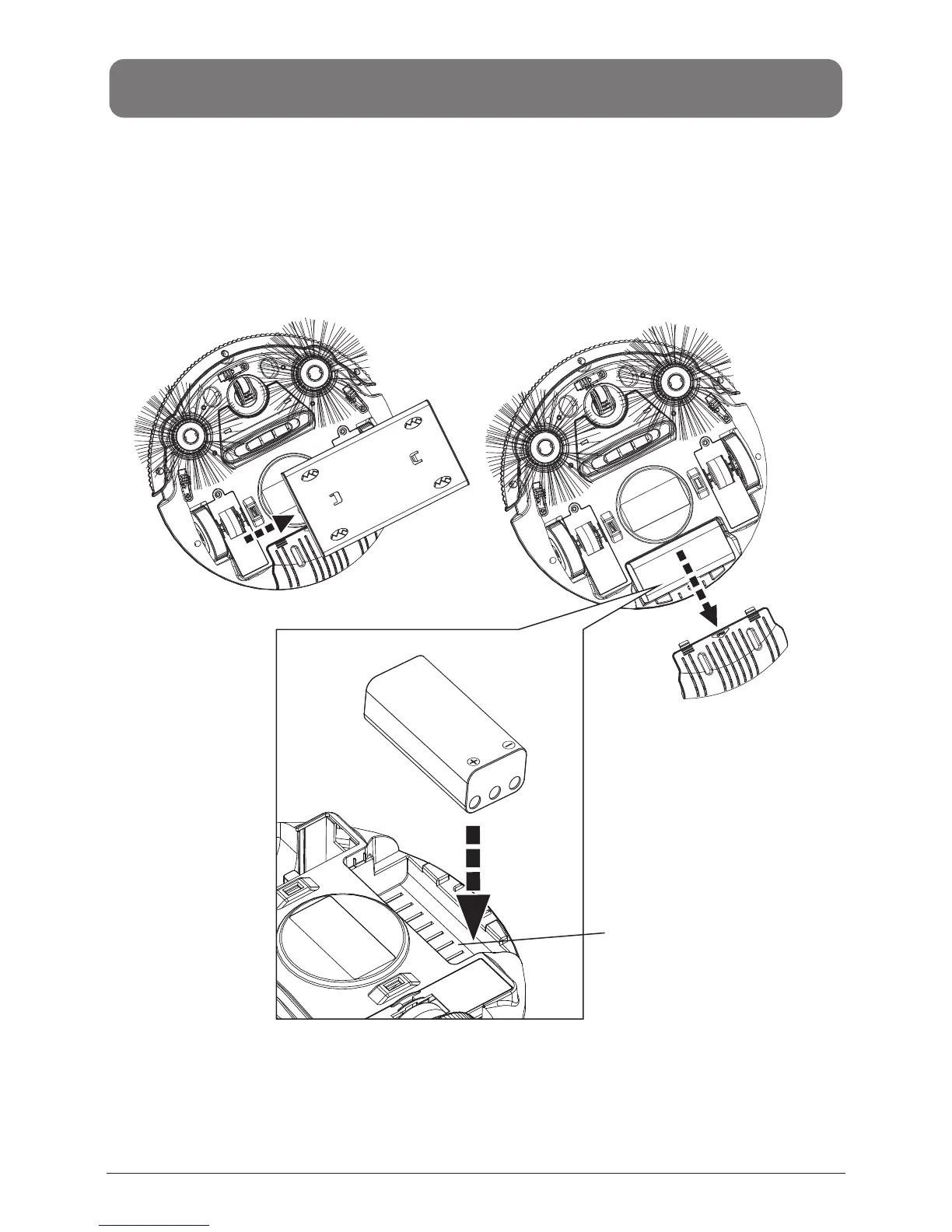
Fig 1
Fig 2
BATTERY INSTALLATION AND REMOVAL
1. Make sure the power switch of RDE120 is turned off.
2. Remove the dusting paper holder.(Fig. 1)
3. Open the battery cover(see Fig. 2).
4. Insert the battery into the battery reservoir and close the cover.(Fig. 3)
5. To remove the battery, please follow step#3 above in reverse.
Battery reservoir
Fig 3
EN-5


 To Next Page