GENERAL OPERATION
※ Caution: Remove the dusting paper holder & side brush before using on the carpet.
※ This product is not suitable for long-pile carpets.
1. Be sure the dust bin filter is installed properly.
2. Place the cleaner on place with more free space in the room, and turn on the power.
. When the cleaner runs out of power, the “BATTERY LOW” LED lamp on the unit will be
red and the cleaner will automatically stop.
. When the cleaner is not use or prior to recharging, make sure the power switch of RDE120
is in the “OFF” position.
Start Operation
3
4
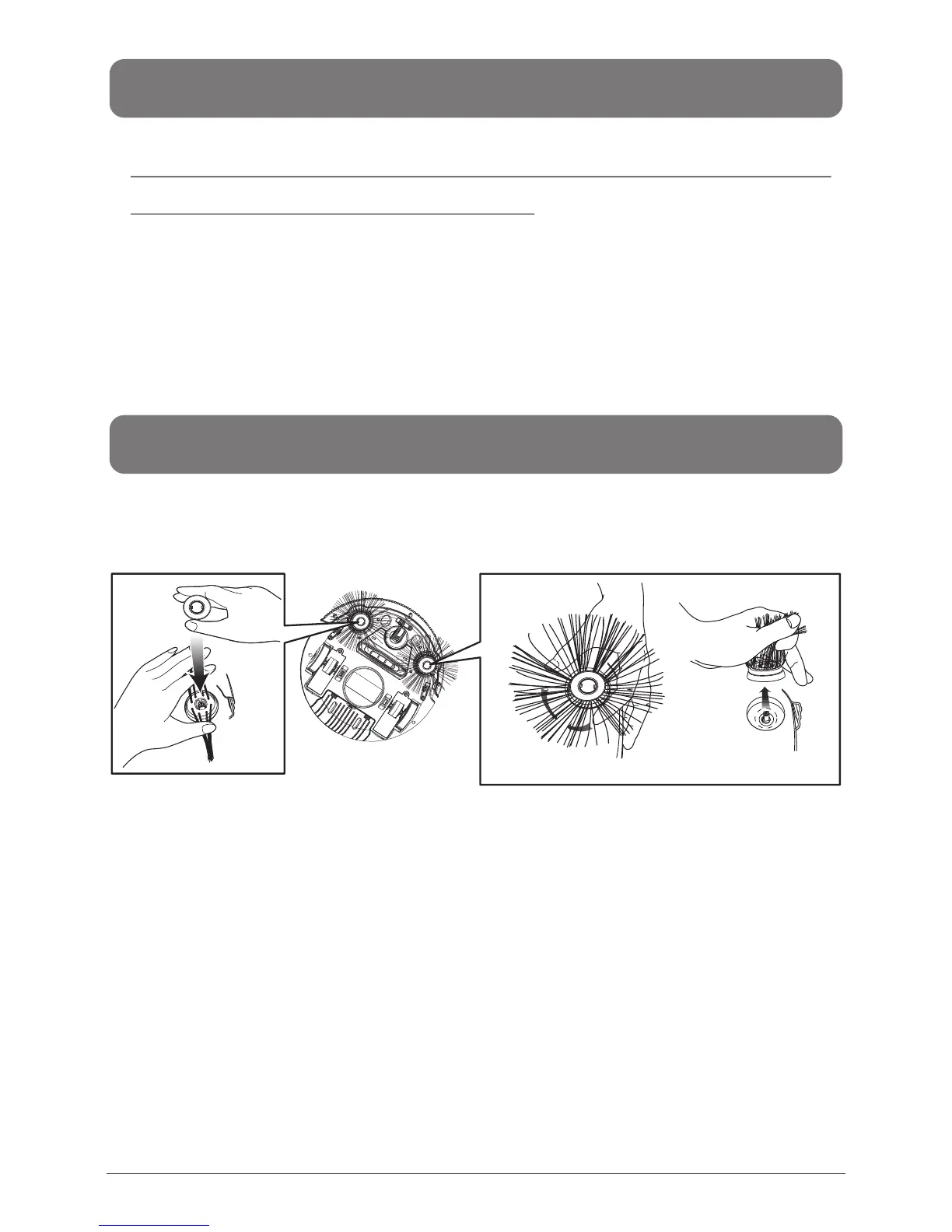
INSTALLING AND REMOVING SIDE BRUSH
To install:Put the brushes directly onto the holder and spread the brush bristle evenly, then
press on the cap to fix it.(Fig. 5)
To Remove:Hold the brush bristle and pull upward to remove the brush.(Fig. 6)
Fig 5 Fig 6
PRESS
HOLD
PULL UP!
EN-7


 To Next Page