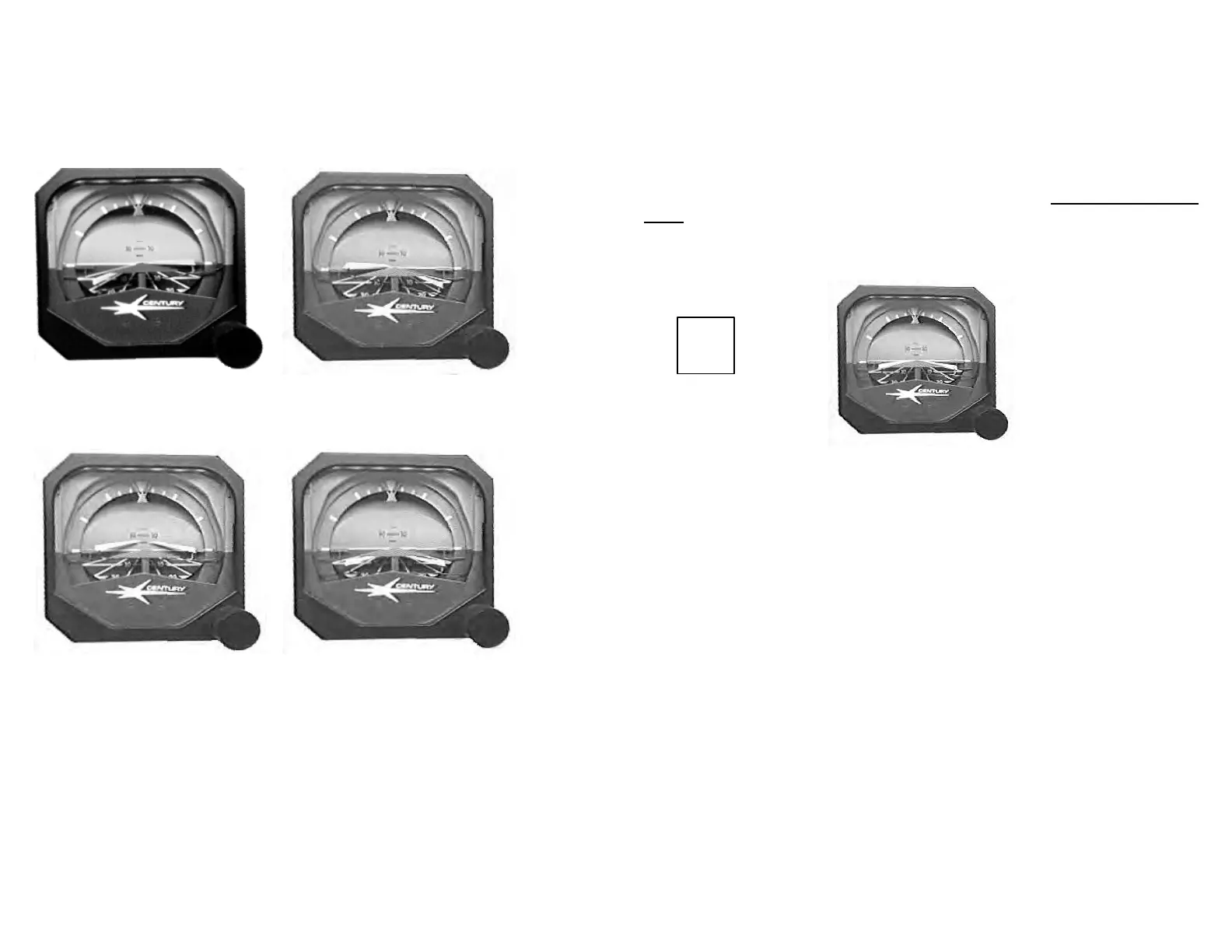
FLY LEFT FLY RIGHT
FLY UP FLY DOWN
CENTURY 2000 FLIGHT DIRECTOR
STEERING HORIZON SINGLE QUE
With the addition of the Flight Director expansion, the pilot may choose to
program a particular flight sequence and monitor autopilot maneuvering
by observing the steering bar or he may switch the autopilot off and place
himself in the control system loop by following commands of the steering
bar. Pressing the FD switch on the computer programmer will activate
the flight director steering bars and the annunciator will illuminate FD.
The great advantage of the Flight Director is that the computer observes
many inputs, compares these inputs to the sequence programmed by the
pilot and resolves differences into combinations of four commands: Fly
Up, Fly Down, Fly Left and Fly Right. To accomplish the programmed
maneuver, the pilot need only to “fly the delta into the ‘vee’ of the
steering bar”.
The Flight Director may be switched off and the steering bars stowed out
of view by momentarily pressing the FD switch on the programmer.
While the FD is on, the autopilot will stay in the mode of operation if the
autopilot is disengaged or when it is re-engaged. When the FD is off and
the autopilot is disengaged, the autopilot will revert to the default modes
of operation which is the HDG and ATT modes.
NOTE
The pilot should always keep in mind that the Steering Horizon displays
COMPUTED DATA and will give a command satisfied indication if the
pitch attitude and heading are satisfactory for normal conditions. The
system cannot compensate for inadequate power or airspeed to
accomplish the desired maneuver, therefore, a raw data display is
mandatory with the Flight Director display so that the pilot is constantly
presented with concise data on his heading and actual position on the
Localizer, Glideslope and VOR radial. For this reason, whenever the
Flight Director expansion is added, it is recommended that an HSI be
installed also .
FD
27
28


 To Next Page