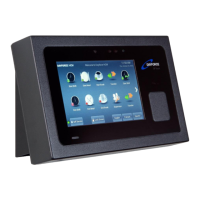
10.3 Removing the clock
To remove the clock from the wall-mount, insert the key into the lock
and turn clockwise 90 degrees. You can then lift the clock off the hooks
and detach the cables.
10.4 Note re Power Supply
Clocks are supplied with both an external low current power pack which
delivers 24V DC and Power over Ethernet (PoE) functionality. The
external power pack need not be connected when PoE is available from
the Ethernet switch.


 To Next Page