Remove
Pairing
AirID 2:
This setting deletes the saved pairing information and the keys.
This is recommended when passing AirID to third parties. You
have the option to delete all keys or only the keys for a specific
device. After the removal, a new pairing is necessary to re-
established a connection.
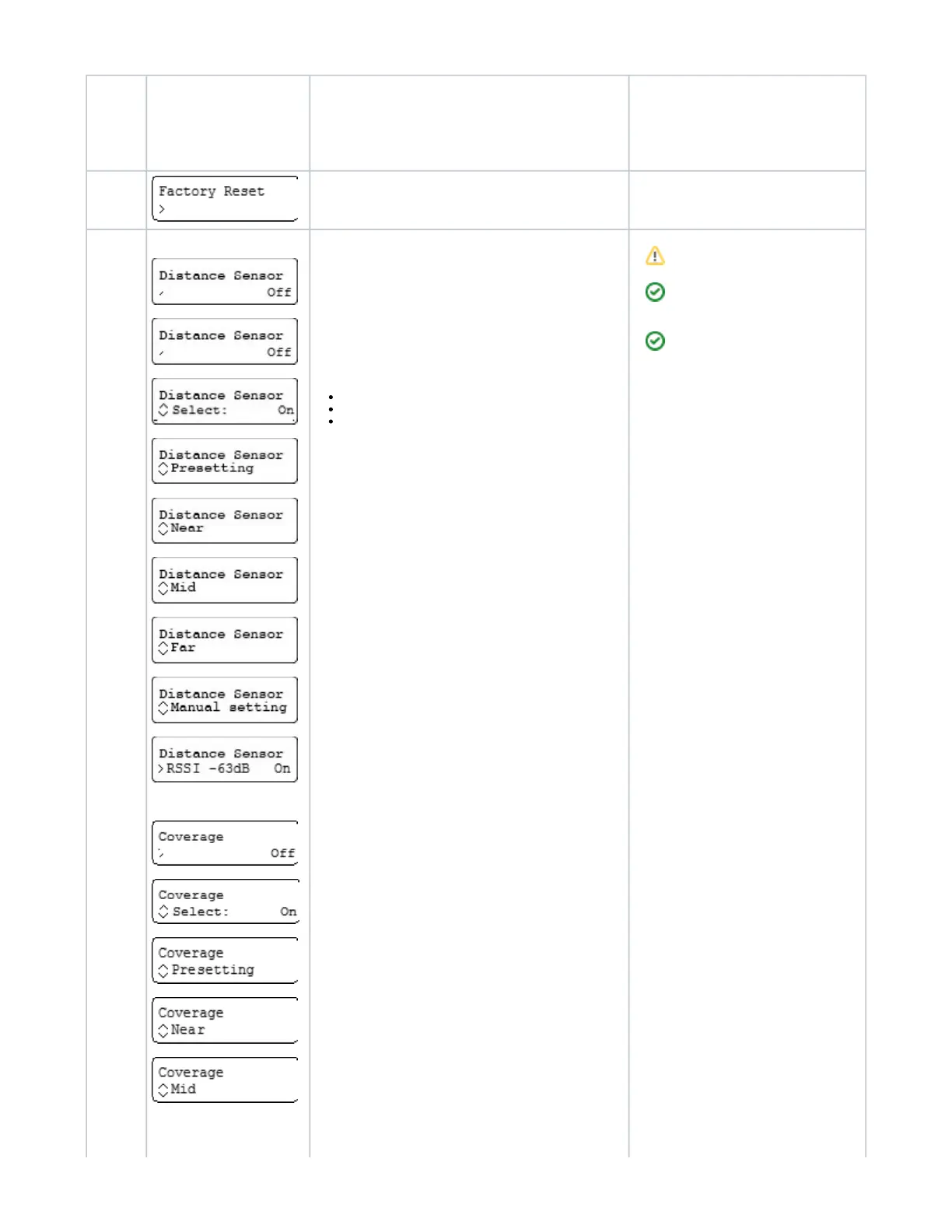
Factory
Reset
This setting reset the AirID to factory settings. All saved pairing
information and keys are also deleted.
Distance
Sensor
oder
Coverage
AirID 2
AirID 1
The AirID reader can lock your WINDOWS or mobile (iOS or
Android) apps (if configured) automatically, if a preset distance
between your computer and your AirID has been exceeded. The
"Distance Log-Out" is managed in AirID settings using "Distance
" (with AirID 2) or "Sensor Coverage" (with AirID 1).
This setting is optional and can only be configured if there is an
active Bluetooth connection to the a device.
You can use pressetings or set the distance manually.
Following pressetings are available:
Near (~ 55 dB)
Mid (~ 65 dB)
Far (~ 70 dB)
In comparasion to the possible pressetings, the manual setting
allows an individual fine adjustment.
If the manual setting is selected, the curent RSSI value is shown
in the display. Slowly walk around in the area you want your
device to remain unlocked. Press the control element at the
preferred distance to confirm the coverage area and activate the
Distance Sensor function.
Settings can only be configured during an
active Bluetooth connection between your
computer and your AirID reader.
To avoid unintended disconnects, keep in mind
that the minimum distance for the automated
lock is about three meters between your
computer and your AirID reader.
The distance value for the "Distance Sensor"
feature represents a relative value. It depends
on the signal strength of the AirID, on the
environment and on other interferencing signals.


 To Next Page