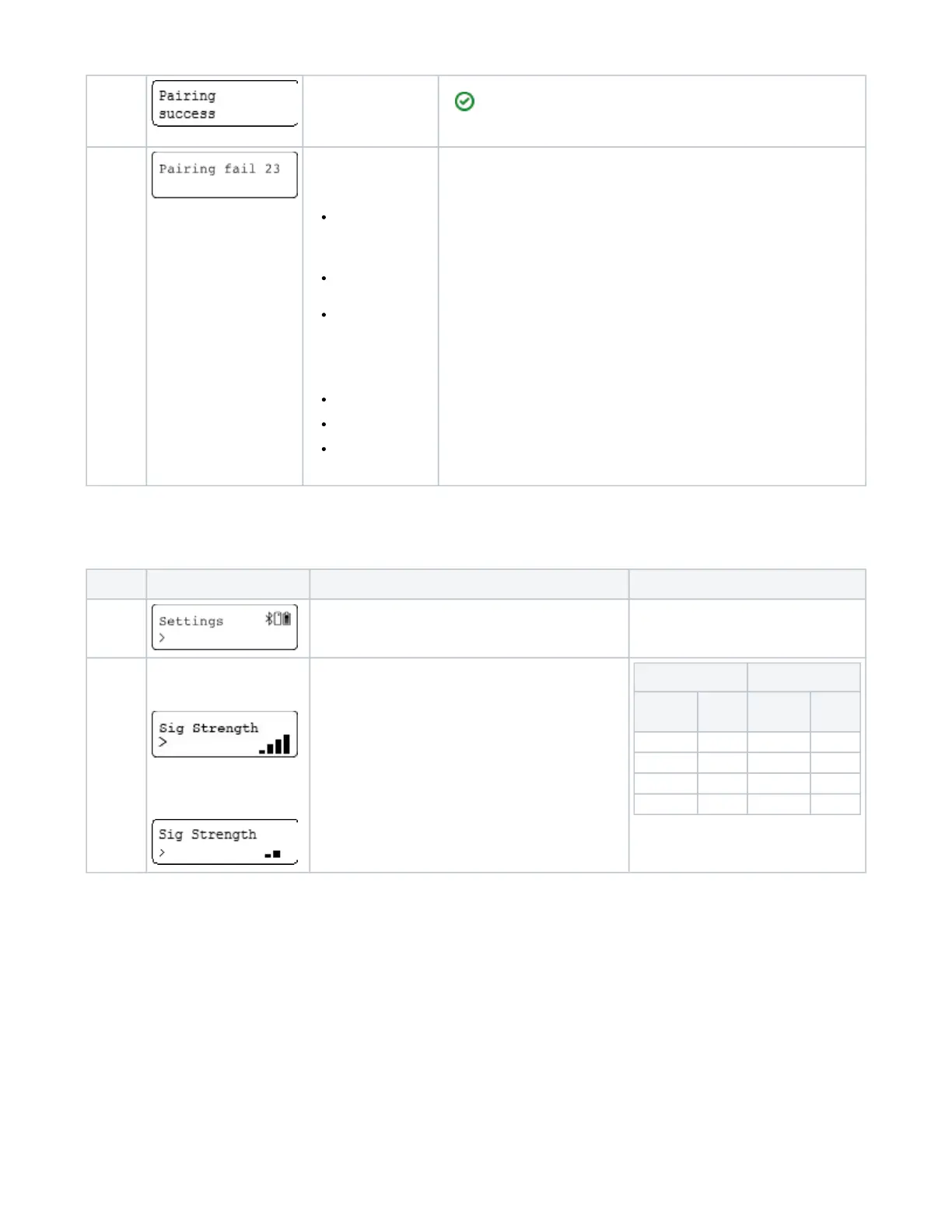
Pairing
success
The pairing have been
successful
Pairing defines the establishment of a connection between an Bluetooth device and the
AirID Bluetooth reader. Since the pairing information is retained even if the devices are
turned off, it is not necessary to pair the same devices again. To pair, the device prompts
you to read a code from the AirID and enter it into the connected device or compare it
with the code displayed on the device.
Pairing
failed
The pairing failed.
For AirID2, the reasons
for a failed pairing can be:
Time out: waiting
too long to confirm
the pairing code on
host device and
AirID
Aborting pairing
process on host
device
Selecting "No" for
pairing code
confirmation on AirID
For AirID1, the following
errors may occur:
Pairing fail 1:
Pairing canceled
Pairing fail 4:
Pairing code wrong
Pairing fail 23:
Time out
3.4. Settings
Under the menu , you can configure settings for your AirID. Use the control element to select and confirm the settings.Settings
Setting Display Meaning
Settings Main window
Sig
Strenght
AirID 2
AirID 1
Select the signal strenght of the AirID.
Possible configurations:
AirID 2
1-4 bars
and
AirID 1
1-3 bars
AirID 2 AirID 1
Sig
Strength
Value Sig
Strength
Value
1 bar -25dBm 1 bar -23dBm
2 bars -6dBm 2 bars -6dBm
3 bars 0dBm 3 bars 0dBm
4 bars 5.5dBm -- --


 To Next Page