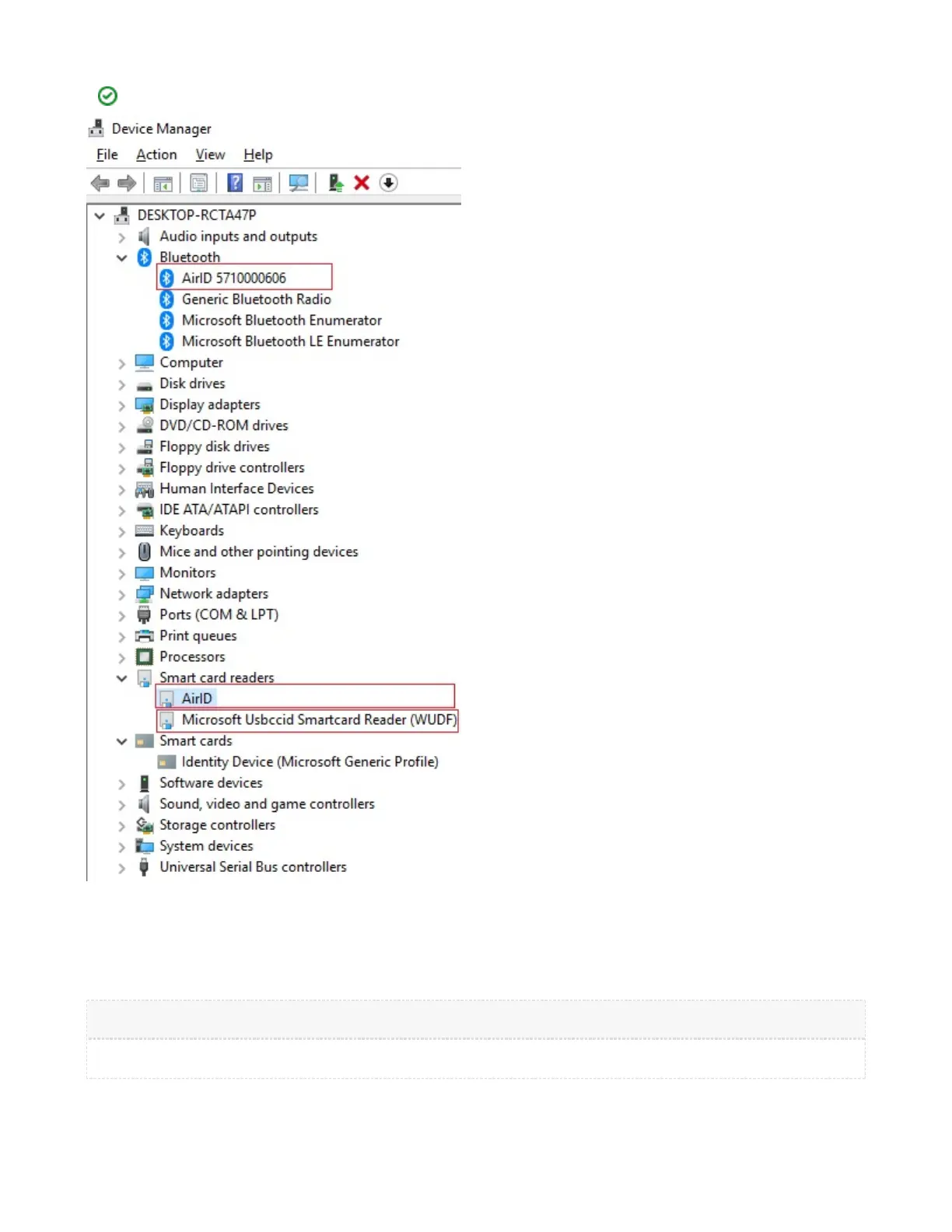
After the driver has been succesfully installed and paired, AirID is displayed as follows under AirID is detected as "Microsoft Device Manager.
USBCCID Smartcard Reader" if it is connected via USB.
5.1.3. Silent Installation of the Driver
Silent installation is used for installation of the AirID driver without user interaction, usually from a batch file or other script.
To perform a silent install using the ZIP format driver, extract the ZIP file, then run the AirID Installer .EXE program for the driver with the following
comand line switch:
Any problem can be found in the log file.
The command to uninstall the software package is as follows:


 To Next Page