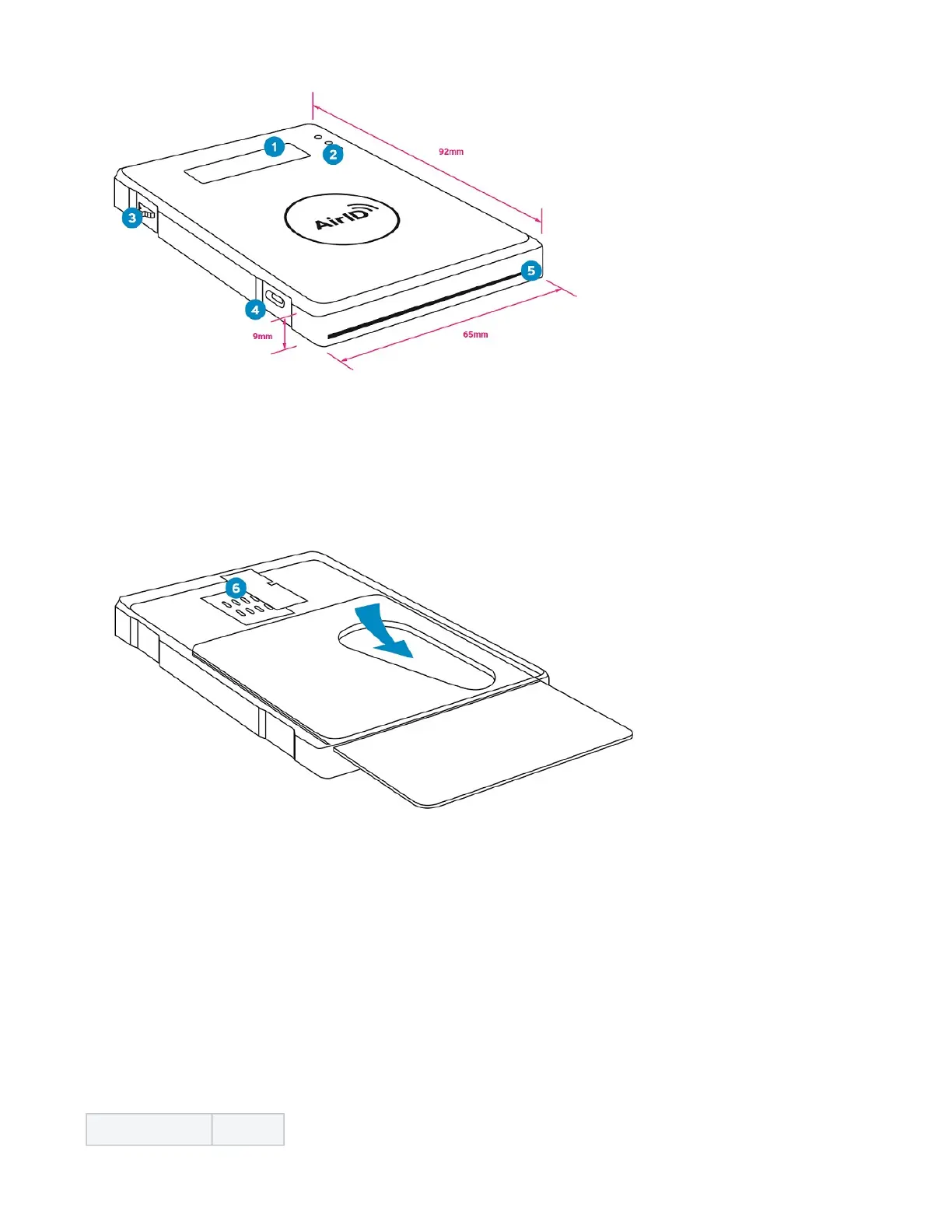
1 Low Power LCD Display
2 LED indicator
3 Jog dial control element
4 USB interface
5 Smart card slot
6 Power switch and second smart card connector (only with AirID 2)
Insert a smart card and power the AirID
Insert the card into the card slot with the chip first. The AirID 2 reader has two integrated smart card connector can read the smart chip regardless of
which side the chip is on. By inserting a card, the power switch is triggered and the AirID switches on.
To remove the card, simply slide it with the finger through the cut-out.
Remove the smart card and unpower the AirID
To remove the card, simply slide it with the finger through the cut-out. The AirID turns off.
Control Element
AirID is designed for easy menu navigation using a 3-way version of jog dial control element.
Action Meaning


 To Next Page