6
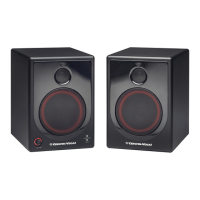
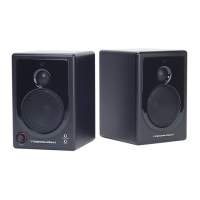
③ Illuminated Volume Knob
The volume control knob controls both left and right speaker volume at the
same time. Turning the volume control knob in a clock-wise direction will
increase the speaker volume. Turning the volume control know in a counter-
clock-wise direction will decrease the speaker volume. When the speaker is
powered on, a red ring will be lit around the knob.
④ ⅛” Headphone Jack
A stereo ‘Head phone’ jack is conveniently located on the front of the speaker.
Use a ⅛” stereo jack from the headphone and insert it into the ‘Head phone’
jack. When a headphone is placed into the jack, the sound from the main
speaker will be muted.
⑤ ⅛” Auxiliary Input Jack
A stereo ‘Aux In’ input is provided in a convenient location for an easy
connection to a portable device such as an MP3 or mobile phone. Use a male-
to-male ⅛” stereo-mini to connect the portable device to the XD3 speaker
system.
⑥ External Audio Input (RCA/Phono)
A stereo RCA-type input is located on the rear of the left speaker. This is an
unbalanced input that is common with a majority of consumer level home
audio electronics. The RCA-type input can be connected to a computer or
portable device using a ⅛” stereo mini-to-RCA audio cable speaker system. The
volume control knob controls both the Main Stereo Input and ‘Aux In’.




 To Next Page