EasyManua.ls Logo

Cessna 172P - Page 258

Cessna 172P
358 pages
Print Icon
To Next Page IconTo Next Page
To Previous Page IconTo Previous Page
Loading...
9
AUDIO
CONÎROL PANELS
PII,OT'S
OPER,ATING
HANDBOOK
SUPPLEMENT
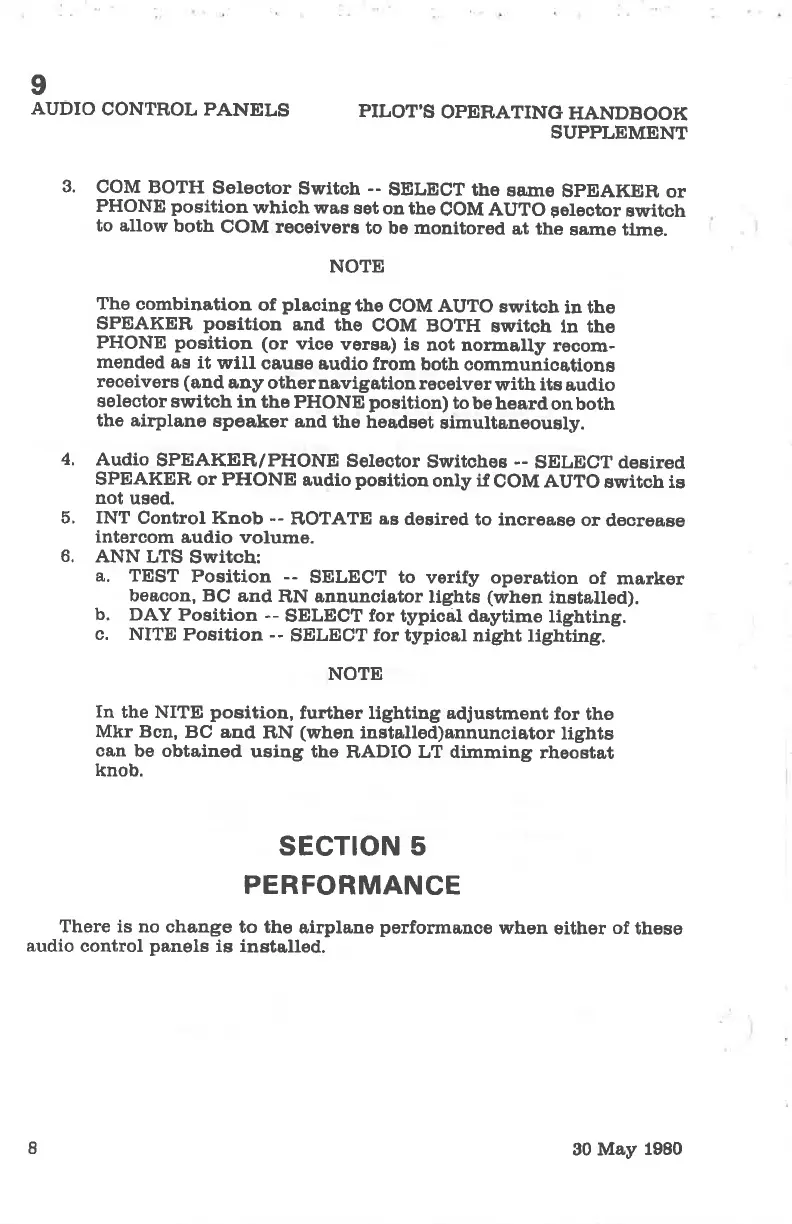
3.
COM
BOTH
Selector
Su¡ttch
--
SELECT
the
sa,ûre
SpEAKE!R,
or
PHONE
position
which was
eet
on the
COM AUTO
Felector
switch
to allow
both
COM recsivers
to be
monitored
at the
same tlme.
NOTE
The
combinatiou
of
placingthe
COM AUTO
switcb
in the
SPEAKER
positlon
and
the
COM
BOTH
switch
ln
the
PHONE
position
(or
vice
versa)
is
not nomally
recom-
mended
as it
will
oa,uae
audio from
both
communicotions
receivers (and
any
otheruavigation
reoelver
with its
audlo
selector
switch in
the PHONE
position)
tobeheardonboth
the airplane
speaker
and
the headset
simultaneously.
4.
Audio
SPEAKE¡R/PHONE
Selector
Switchos
--
SELECT desired
SPEAKER
or PHONE
audio
position
only
if
COM AUTO
switch is
not
used.
ã. INT
Control Knob
--
ROTATE
as
deeired
to increase
or
deorease
intercom
audio volume.
6.
ANN
LTS
Switch:
a,,
TEST
Position
--
SELECT to
verlfy operation
of
marker
beacon, BC
and
RN annunciator
lights
(when
installed).
b. DAY
Position --
SELECT
for
typical daytime
tighting.
c. NITE
Position --
SELECT for typical
night lighting.
NOTE
In
the NITE
position,
fu¡ther lighting adjustment
for
the
Mkr Bcn,
BC and
RN
(when
installod)annunoiator
lights
can
be obtained
using the
RADIO LT dimming
rheoetat
knob.
sEcTroN 5
PERFORMANCE
There is no
change to the
airplane
performanoe
when
either
of
these
audio
control
panels
is instolled.
8
90 May
1980

Table of Contents

Other manuals for Cessna 172P

Related product manuals