83
OPERATING YOUR VEHICLE
Navigation
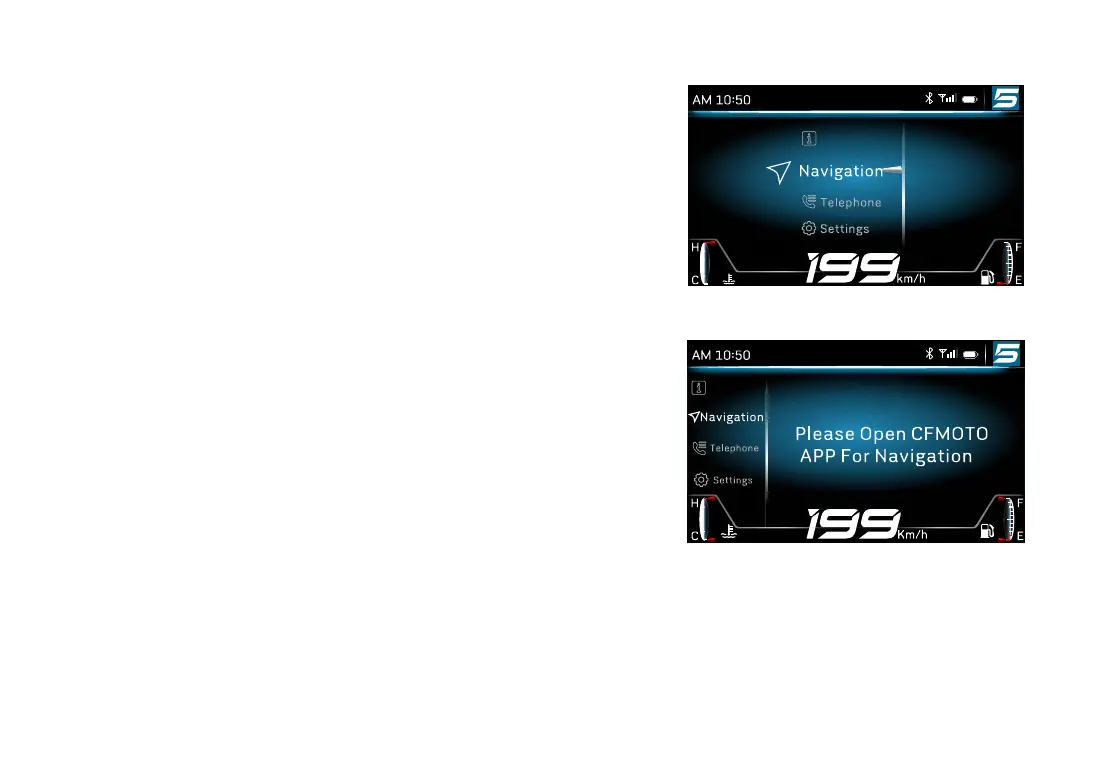
Pair cellphone with the instrument, turn on CFMOTO APP then
navigation function can be used�
Open the navigation in CFMOTO APP, then the instrument shifts
into navigation interface automatically�
Open the navigation by manual:
Long press “ENTER” button to enter into the manual�
Short press “
△
” or “
▽
” button to select “Navigation”, press
“ENTER” button to open the item�
If CFMOTO APP does not activate, the instrument will display “
Please Open CFMOTO APP For Navigation”
Information
!
Information


 To Next Page
 Loading...