24
SoftwareReference
MarkersTab
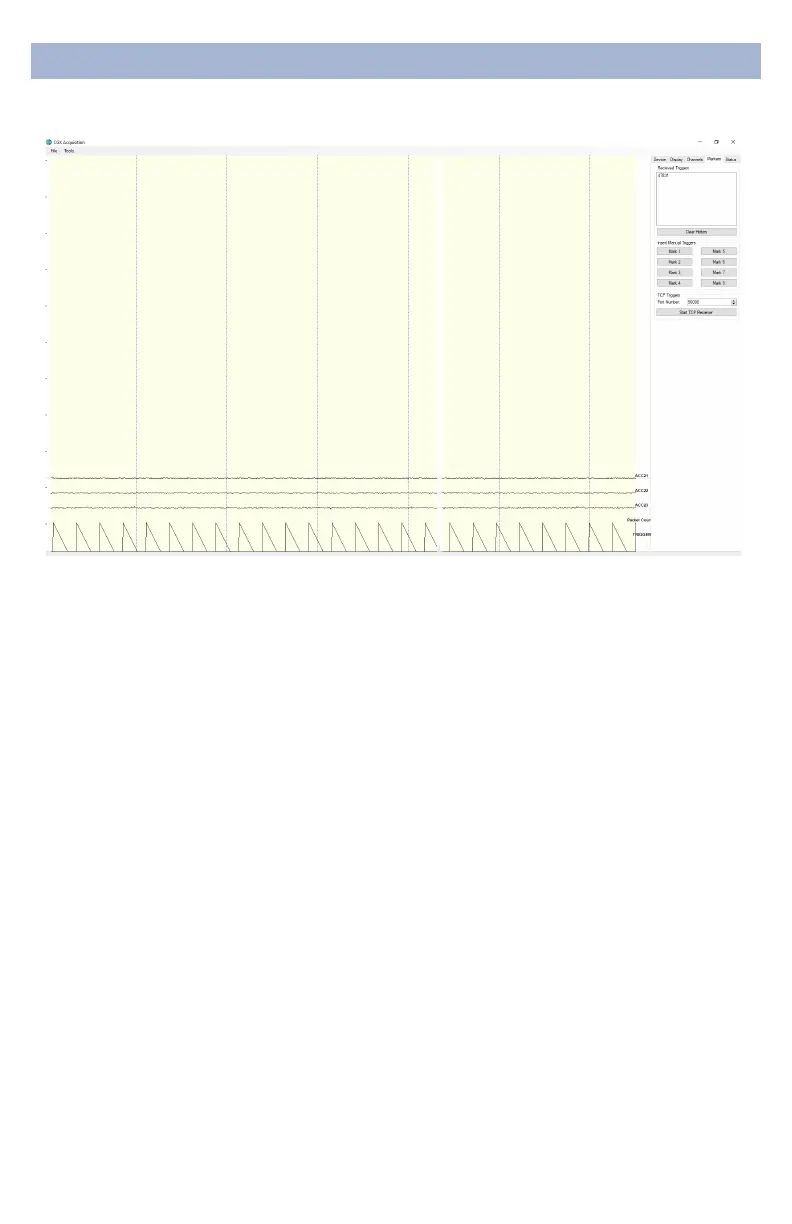
ReceivedTriggers
• The box shows all of the received triggers chronologically.
• If no trigger is in range, value received will be 47831 (in
hex: 0xBAD7).
• ClearHistoryThis button will clear all of the triggers in the
box. It will not delete triggers from the recording itself.
InsertManualTriggers
• You have the option to select any one of eight trigger
codes to insert into the recording. These will be inserted
in the same way as a normal trigger sent from our
Wireless StimTracker. However, we recommend only
using the trigger for precision event marking, and to use
these software triggers for general annotation.
TCPTriggers
• PortNumber Allows you to choose which port to receive
triggers.
• StartTCPReceiver Starts the receiving service.
• Do not use for precision event marking.
• For general annotation only.


 To Next Page