B: Video of the camera:
Ø Preview: live video.
Ø Playback: watch the recorded video.
C: Main parameters: depending of the device, you can manage the main
functions of the camera (motion detection, turn on/off, share, light, take
manual photo/video records, talk/listen, …)
D: Back to previous page.
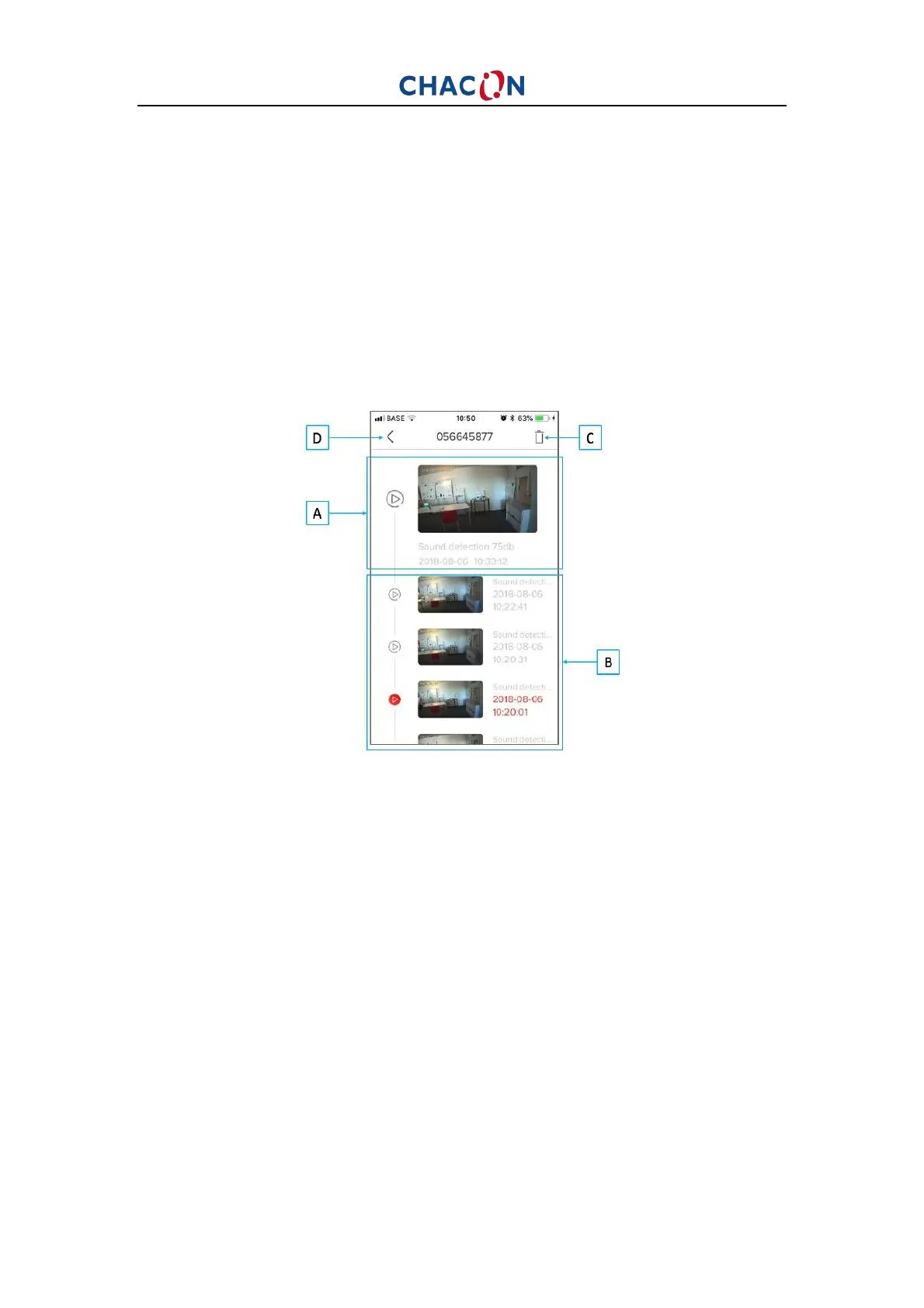
B. Motion detection alarm pictures
A: Last record. Click to the image to see video/picture, download, share to
another application, person, …
B: Previous records. Swipe your finger down to see all records. Click to the
image to see video/picture, download, share to another application, person, …
C: Delete records.
D: Back to previous Personal Homepage


 To Next Page