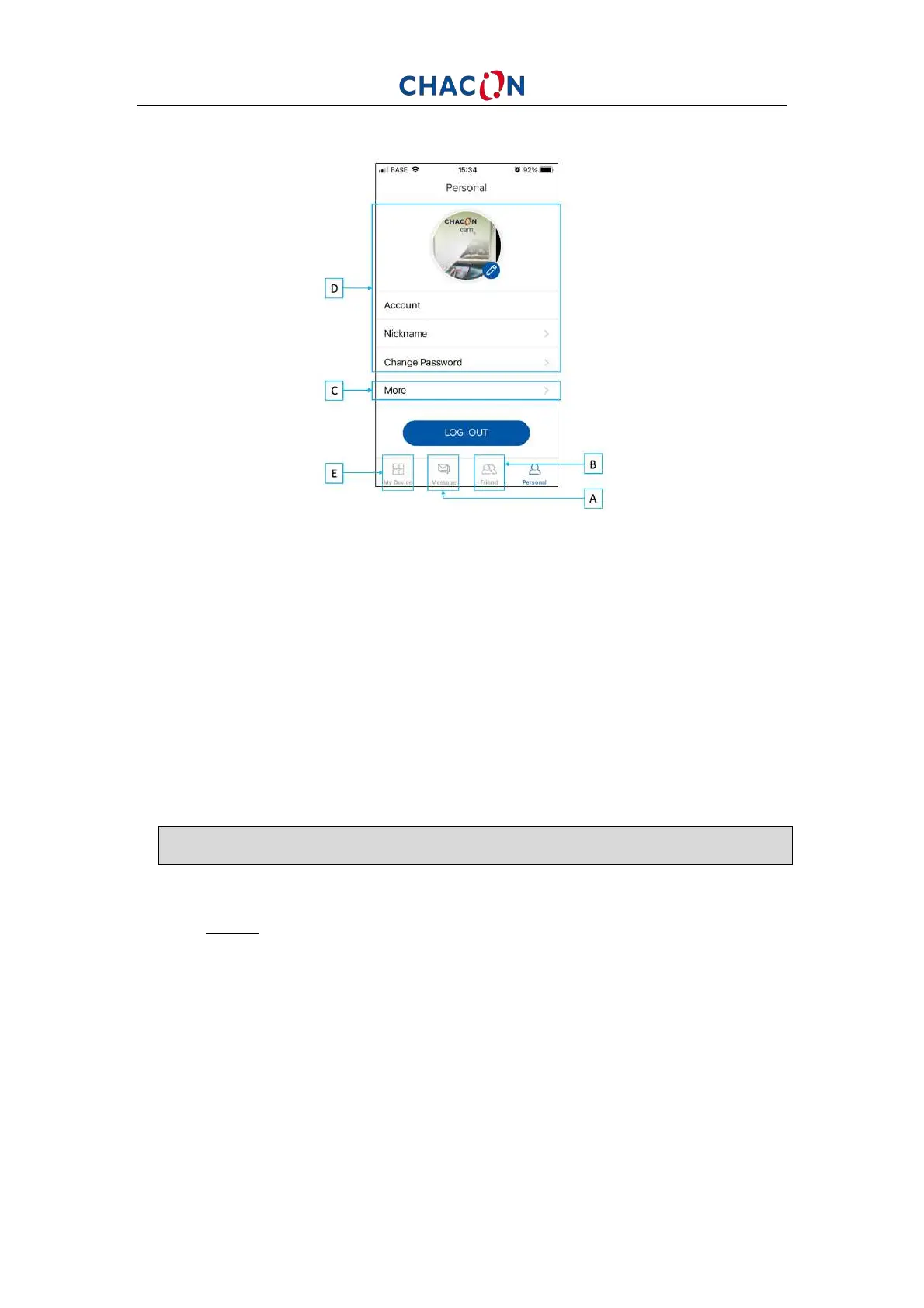
C. Personal homepage
A: Message: click to see messages about alarm system or people with friends
B: Friend: invite new friend with whom you would like to share a camera,
delete friends, manage which device you want to share.
C: More: other functions.
D: Account: allow you to manage your account (modify you personal picture,
password, log out, …)
E: Back to previous page.
4. RESETTING
To restore the camera’s factory settings, press the camera’s reset button and
hold until you hear a beep.
Note1: If you wish to perform a complete reset (for new owner), please delete the
camera from your account in the application first, and then perform a reset.


 To Next Page