12
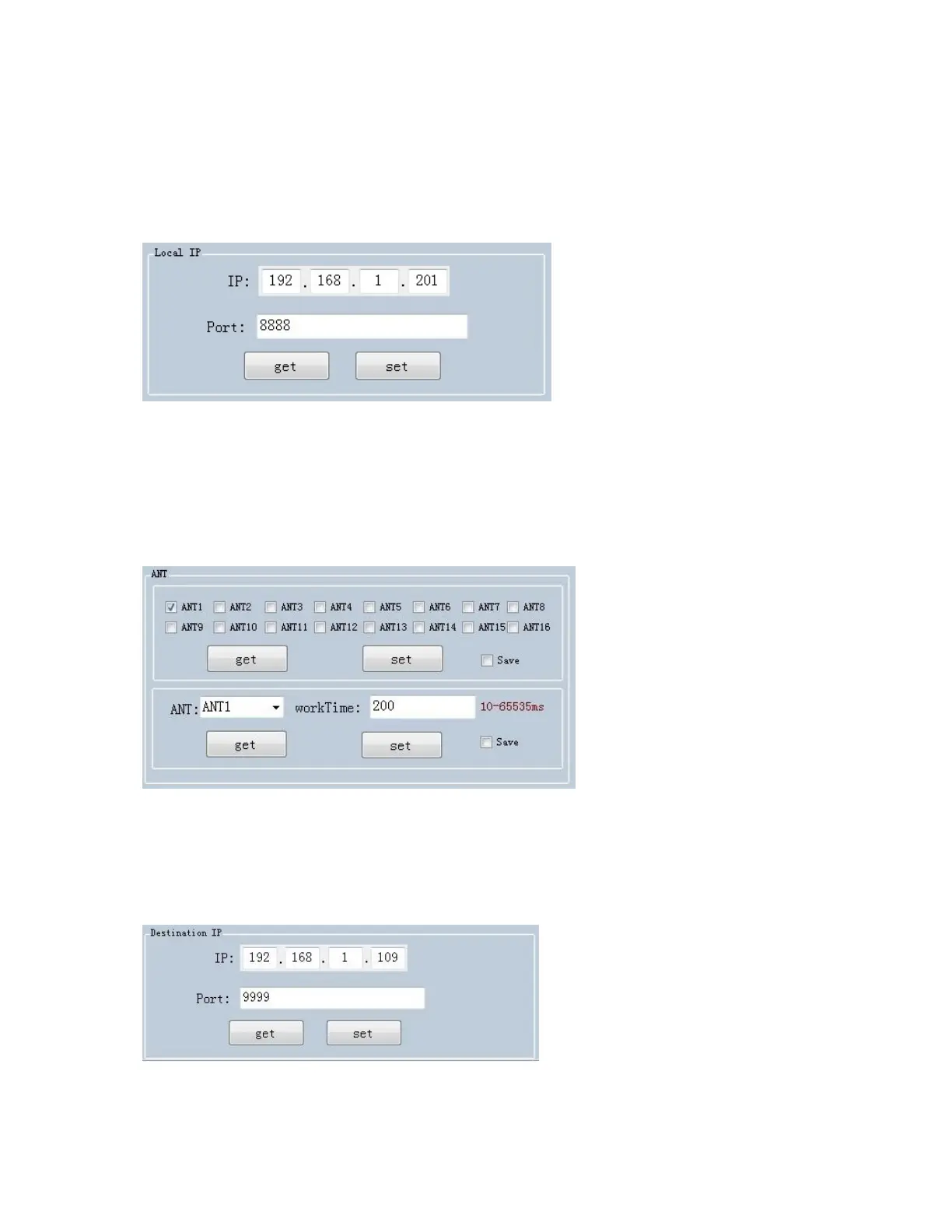
Set IP address and make sure PC and device have used in same
segment. For example, if IP address of PC is 192.168.1.109, mask is
255.255.255.0, the device IP address can be set to 192.168.1.201,
port number doesn’t need to be changed.
Set antenna connection, there are 4 I/O ports on device and have
been marked as ANT1, ANT2, ANT3, ANT4. User needs to select
antenna which has been connected and click “set”.
Set destination IP address and port number, destination IP address is
the IP address which used for reading tag data under “auto mode”.


 To Next Page