5
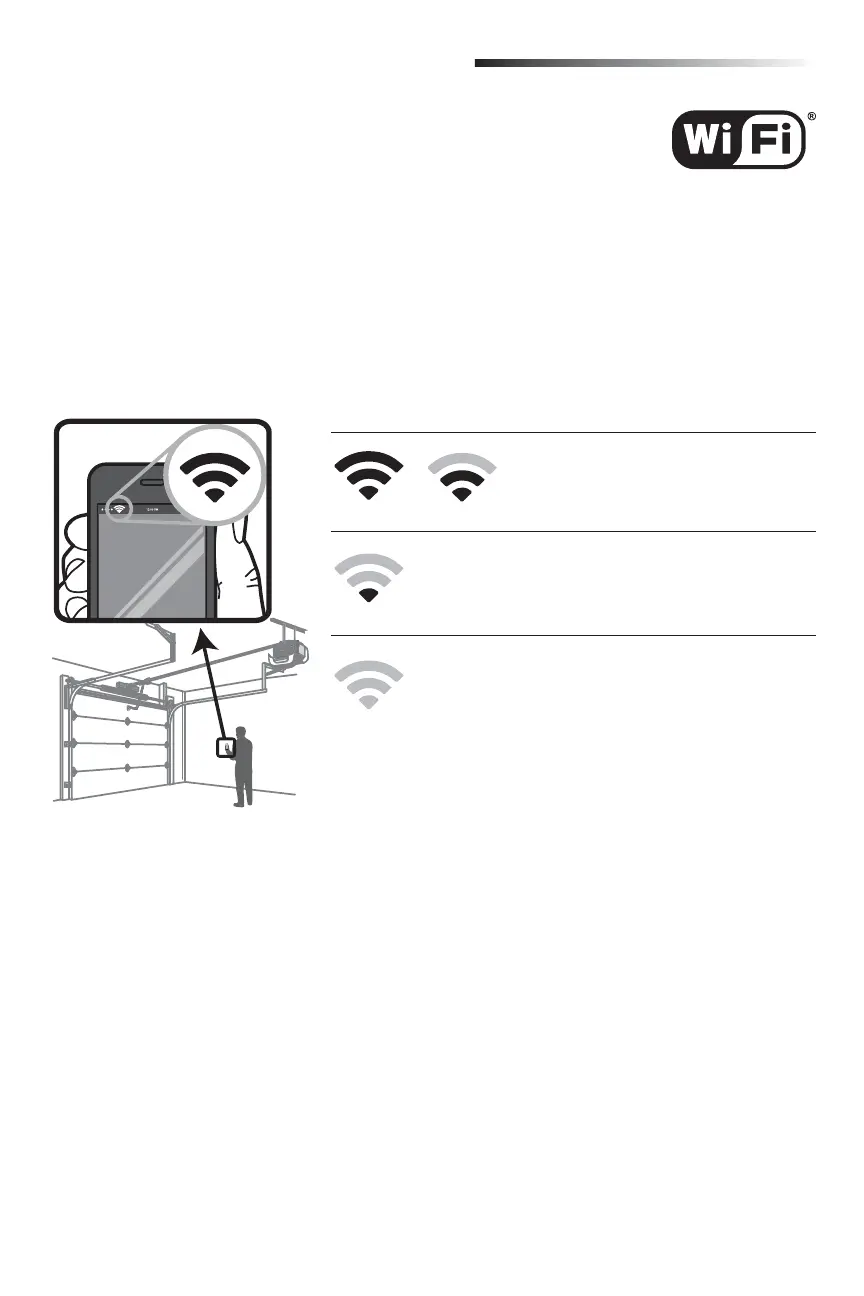
Test the Wi-Fi Signal Strength
Make sure your mobile device is connected to your Wi-Fi network. Hold your mobile device in the place where your
garage door opener is installed and check the Wi-Fi signal strength.
Before You Begin
You will need:
• Wi-Fi
®
enabled smartphone, tablet or laptop
• Broadband Internet Connection
• Wi-Fi signal in the garage (2.4Ghz required)
• Password for your home network (router's main account, not guest network)
Check Signal Strength. If you see:
Wi-Fi signal is strong.
The garage door opener will connect to your
Wi-Fi network.
Wi-Fi signal is weak.
The garage door opener may connect to your Wi-Fi network. If
not, try one of the options below to improve the Wi-Fi signal.
No Wi-Fi signal.
The garage door opener will not be able to connect to your
Wi-Fi network. Try one of the options below to improve the
Wi-Fi signal:
• Move your router closer to the garage door opener to minimize
interference from walls and other objects
• Buy a Wi-Fi range extender
For compatible router specifi cations and help, visit
WiFiHelp.LiftMaster.com.
Proceed to page 6.
Connect With Your Smartphone








 To Next Page