29
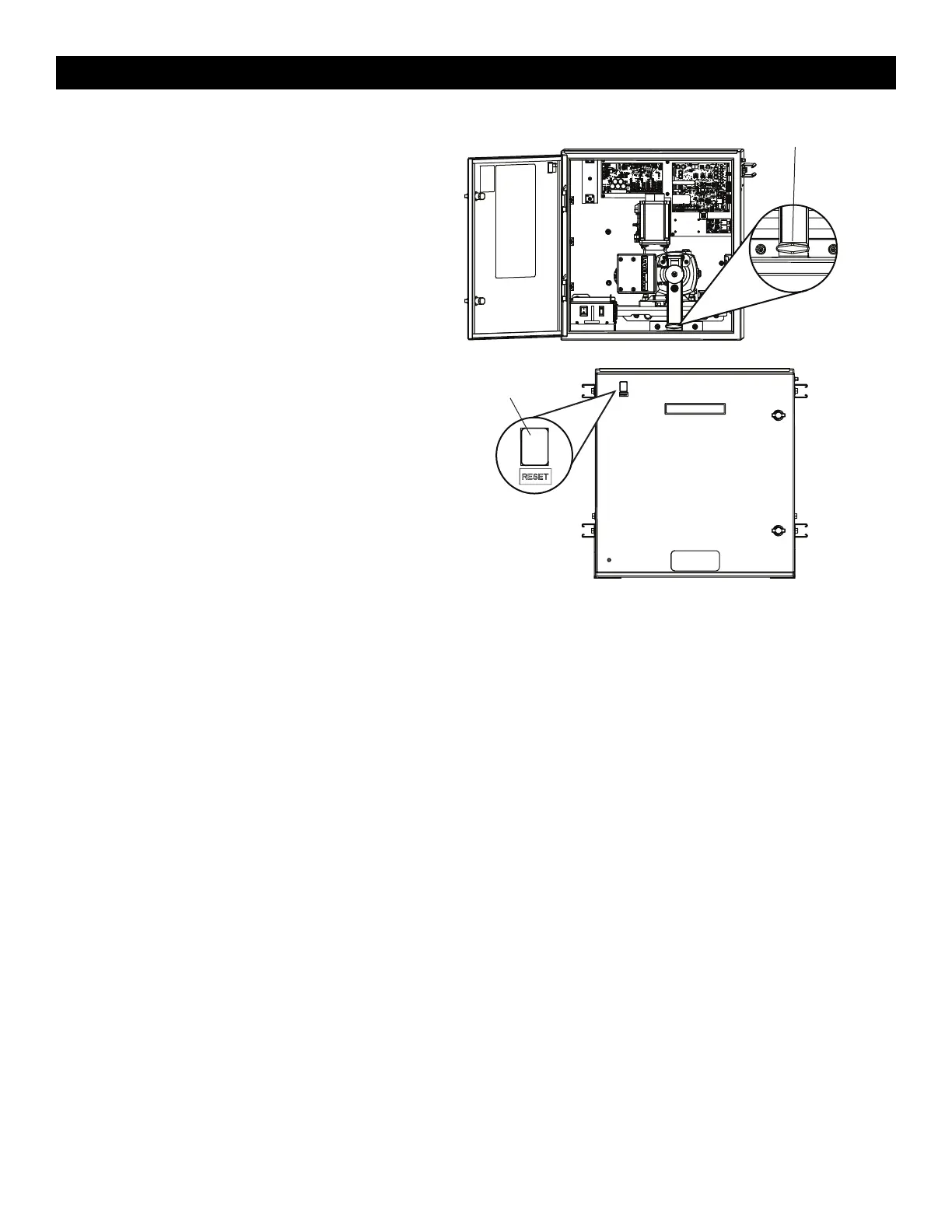
Manual Disconnect
1. Open the cabinet door.
2. Locate the black T-shaped manual release handle attached to the
gearbox in the bottom of the cabinet.
3. Pull firmly until it latches into place.
To resume normal function, push the plate down to release the handle
and re-engage the motor and the gearbox.
Reset Button
The reset button has the following functions:
•
Press the reset button to stop a moving gate during a normal
open/close cycle, like a stop button.
•
Press the reset button once while the gate is in open position to
disable the Timer-to-Close. The gate will stay in the open position.
To restart the Timer-to-Close either press the reset button or activate
the gate with a programmed remote control.
•
Press the reset button to shut off the alarm and reset the operator.
OPERATOR OVERVIEW










 To Next Page