5
TYPE 3
Chamberlain, Sears Craftsman, LiftMaster,
Master Mechanic and Do It garage door
openers or receivers with: Yellow, white or
grey Smart/Learn buttons.
If opener does not function, repeat programming.
Select and write a 4-digit PIN:
__ __ __ __
Your opener ID is 11.
1 1
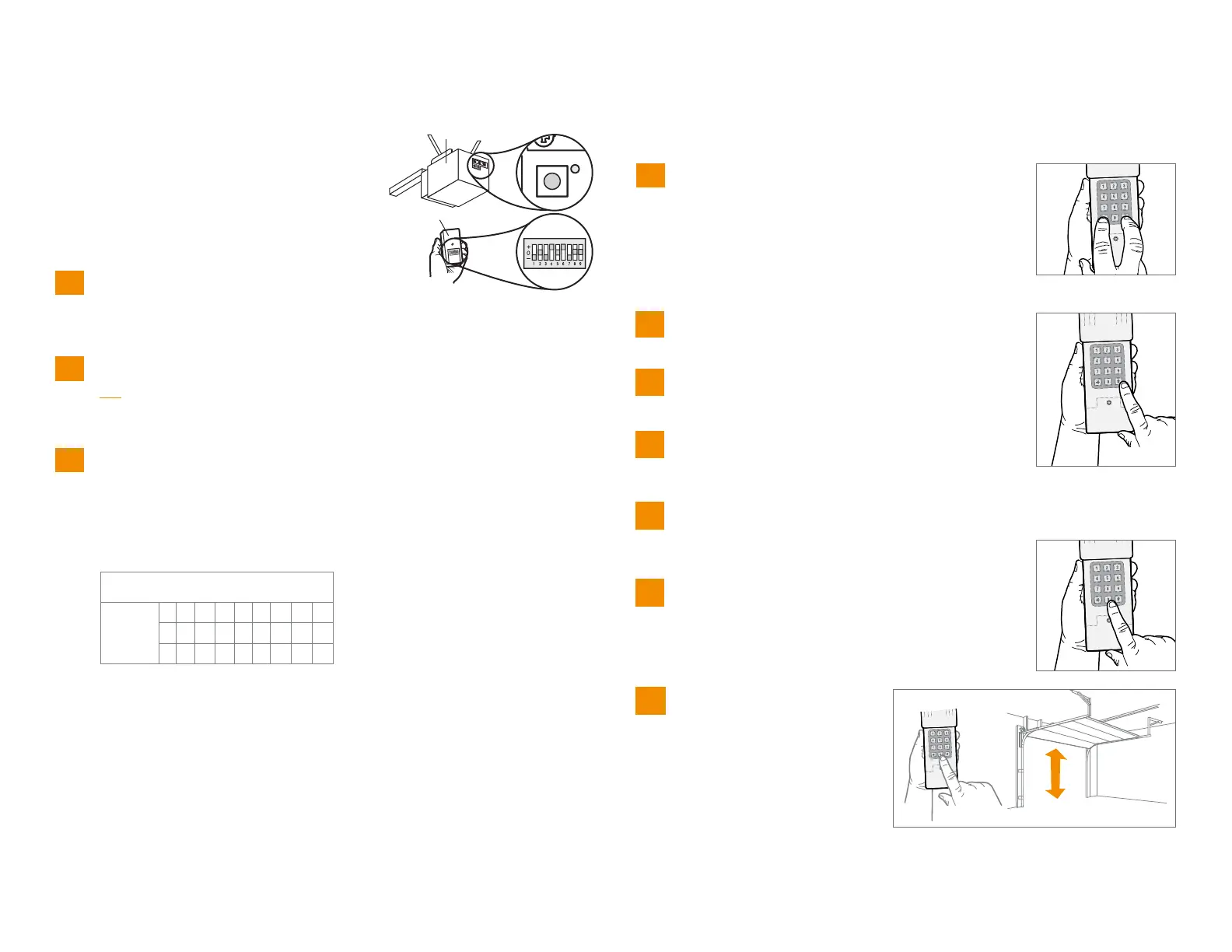
Record your DIP switch sequence. Set your first DIP switch to “-”, your
first DIP switch must be set to the “-” position on your remote and
opener. If the DIP switch is in the “+” position place a 1, “0” position
place a 2, “-” position place a 3 in the corresponding box in the chart
below: NOTE: Leave any unused switch locations blank.
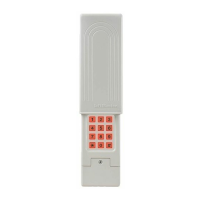
Enter PIN from step 1, press #.
Enter 11, press #.
Enter DIP switch sequence from step
3, press #.
Press and release the Smart/Learn
button on garage door opener.
Enter your 4 digit PIN and press the 0 key.
To test and use, wait until
lights turn off, enter your PIN
and press the 0 key.
1
Programming
2
3
5
6
7
8
9
10
Press and hold the * and # buttons until keypad
stops flashing.
4
Opener
Remote Control
DIP Switch
Sequence
123 456 7 8 9
+
0
- 3


 To Next Page