EasyManua.ls Logo

Chamberlain KPW5 - User Manual

Chamberlain KPW5
20 pages
Print Icon
To Next Page IconTo Next Page
Loading...
1
OVERVIEW
Wireless Commercial Keypads are security keypads and should be programmed to ONE operator.
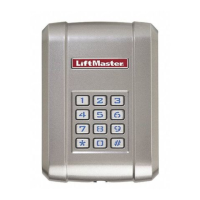
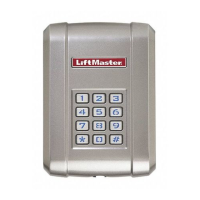
The Wireless Commercial Keypad comes with one 9V Lithium battery, instructions, and two keys. A wireless
signal is transmitted when a valid 4-digit PIN and the # key is pressed. A long tone will sound. The keypad
backlight will illuminate for 15 seconds when any key is pressed. If an invalid PIN or partial PIN is accidentally
entered, an error tone will sound. The Wireless Commercial Keypad is compatible with the brands of
commercial door and gate operators listed in the table below.
Wireless Commercial Keypad
Models KPW5 and KPW250
MODEL FREQUENCY AND ENCRYPTION PIN CAPACITY
KPW5 LiftMaster Security+ 2.0
®
Default
Tri-band 390 MHz, 315 MHz, and 310 MHz
Up to 5 permanent PINs and
Up to 10 unique temporary PINs
KPW250 LiftMaster Security+ 2.0
®
Default
Tri-band 390 MHz, 315 MHz, and 310 MHz
Up to 250 permanent PINs and
Up to 10 unique temporary PINs
LiftMaster Security+
®
315 MHz
LiftMaster Security+
®
390 MHz
Linear Multi-Code 300 MHz
Specifi cations
Power ............................................................................................................................................9V Lithium battery
Operating temperature range .................................................................................. -4°F to 140°F (-20°C to +60°C)
Storage and shipping temperature range ............................................................. -40°F to 140°F (-40°C to +60°C)
Enclosure .....................................................................................................................................................NEMA 3R
KPW5 KPW250

Questions and Answers

  • L
    Linda SweeneyJul 27, 2025
    Why is my Chamberlain Keypad backlight and tone not working?
    • R
      Ryan HigginsJul 27, 2025
      If the backlight and tone on your Chamberlain keypad no longer work, the battery may be dead. Replace the battery with a 9V Lithium battery.
  • J
    James McdanielAug 4, 2025
    What to do if my Chamberlain Keypad PIN won’t learn?
    • N
      Nicole CookAug 4, 2025
      If your PIN won’t learn on the Chamberlain Keypad, it could be due to a couple of reasons. Either the PIN is already learned, in which case you should learn a new PIN and exit the learning mode, or the memory is full. If the memory is full, erase a PIN to add a new one, or perform a factory reset to erase all PINs.
  • J
    Jennifer BallardAug 11, 2025
    How to fix Chamberlain Keypad that will not program to the operator?
    • S
      stephen21Aug 12, 2025
      If the Chamberlain Keypad will not program to the operator, it might be programmed to the wrong frequency and encryption. Program the keypad to match the operator's frequency and encryption.
  • G
    garykaneAug 19, 2025
    What to do if key press turns on backlight but no beep on Chamberlain KPW5 Keypad?
    • D
      Dr. Ashley Morton MDAug 20, 2025
      If a key press turns on the backlight but there's no beep on your Chamberlain Keypad, check that all buttons are not stuck.

Summary

Overview

Specifications

Details on power, operating temperature, storage, and enclosure.

Installation

Safety Warnings

Crucial safety instructions to prevent injury or death from moving gates or doors.

Basic Programming

Set Master Code

Procedure to set or update the 6-digit Master Code for system access.

Program a PIN

Steps to program a new 4-digit Personal Identification Number.

Program to Operator

Program to LiftMaster Operator

Instructions for pairing the keypad with a LiftMaster operator.

Program to Linear Multi-Code Receiver

Guide for programming the keypad to a Linear Multi-Code receiver.

Additional Programming

Set Temporary PIN

Procedure for setting temporary PINs for visitor access (max 9 uses).

Delete Permanent and Temporary PIN

Instructions on how to delete stored permanent or temporary PINs.

Reset Master Code

Procedure to reset the Master Code to factory default.

Reset Keypad

Procedure to reset all keypad settings to factory defaults.

Lockout Mode

Configuration for lockout mode after invalid PIN entries.

Constant Pressure Override

Instructions for using the CPO feature with compatible operators.

Battery

Battery Replacement

Steps for replacing the 9V Lithium battery.

Troubleshooting

Troubleshooting Guide

Common symptoms, causes, and solutions for keypad issues.

Warranty

One Year Limited Warranty

Information on the product's limited warranty.

Chamberlain KPW5 Specifications

General IconGeneral
BrandChamberlain
ModelKPW5
CategoryKeypad
LanguageEnglish

Related product manuals