14
AUDIBLE BEEP (OPTIONAL)
DNDN UPUP PP SS
11
22 33
132A2940
Flash
x 2
BEEP
AUDIBLE
BEEP
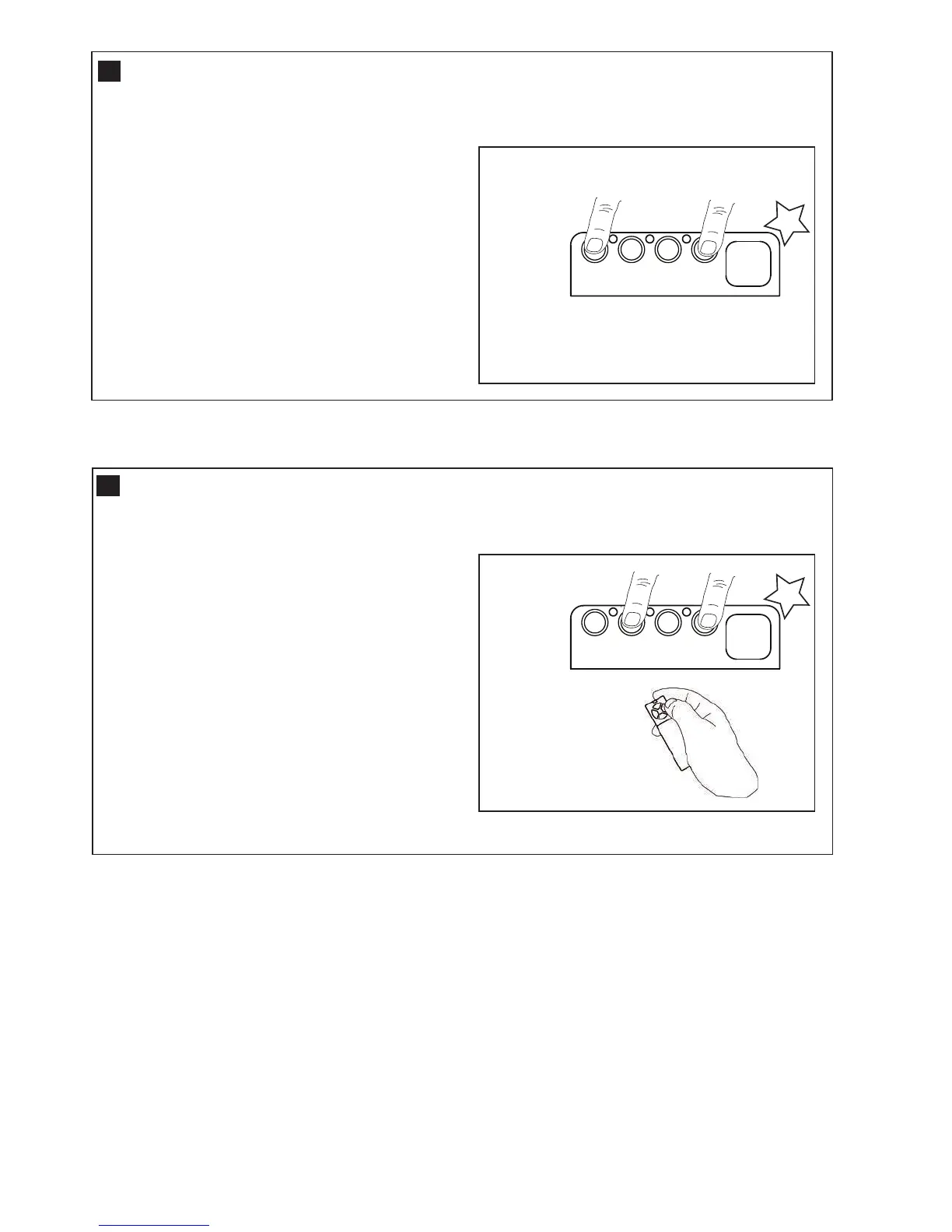
The WeatherDrive LM550EV has been factory
set for Audible “BEEP”.
The Audible beep can be turned OFF by using the
following method.
• Start with the door fully CLOSED.
• Press and Hold both “S” and “DN” buttons
for 3 seconds
• The Courtesy light will flash “TWICE”.
Release Buttons.
To turn the audible beep back ON, simple repeat the
above process.
20
DNDN UPUP PP SS
11
22 33
132A2940
Flash
x 2
BEEP
E-LOCK
To Lock the Control Panel:
• Start with the door fully OPEN.
• Press and Hold both “S” and “UP” buttons for 3
seconds, while pressing a previously coded
transmitter.
• The Courtesy light will flash “TWICE”. Release all the
buttons.
The control panel is now LOCKED, and pressing any
button will only allow the courtesy light to turn ON.
Transmitters remain active.
To turn the Control panel back ON, simple repeat the
above process using any previously coded transmitter.
The WeatherDrive LM550EV has been factory set with
the Control Panel buttons UNLOCKED.
After all the Installation and programming processes are
complete, the Control Panel buttons can be locked, and
all the coded transmitters will remain active.
21
CONTROL PANEL E-LOCK (OPTIONAL)




 To Next Page