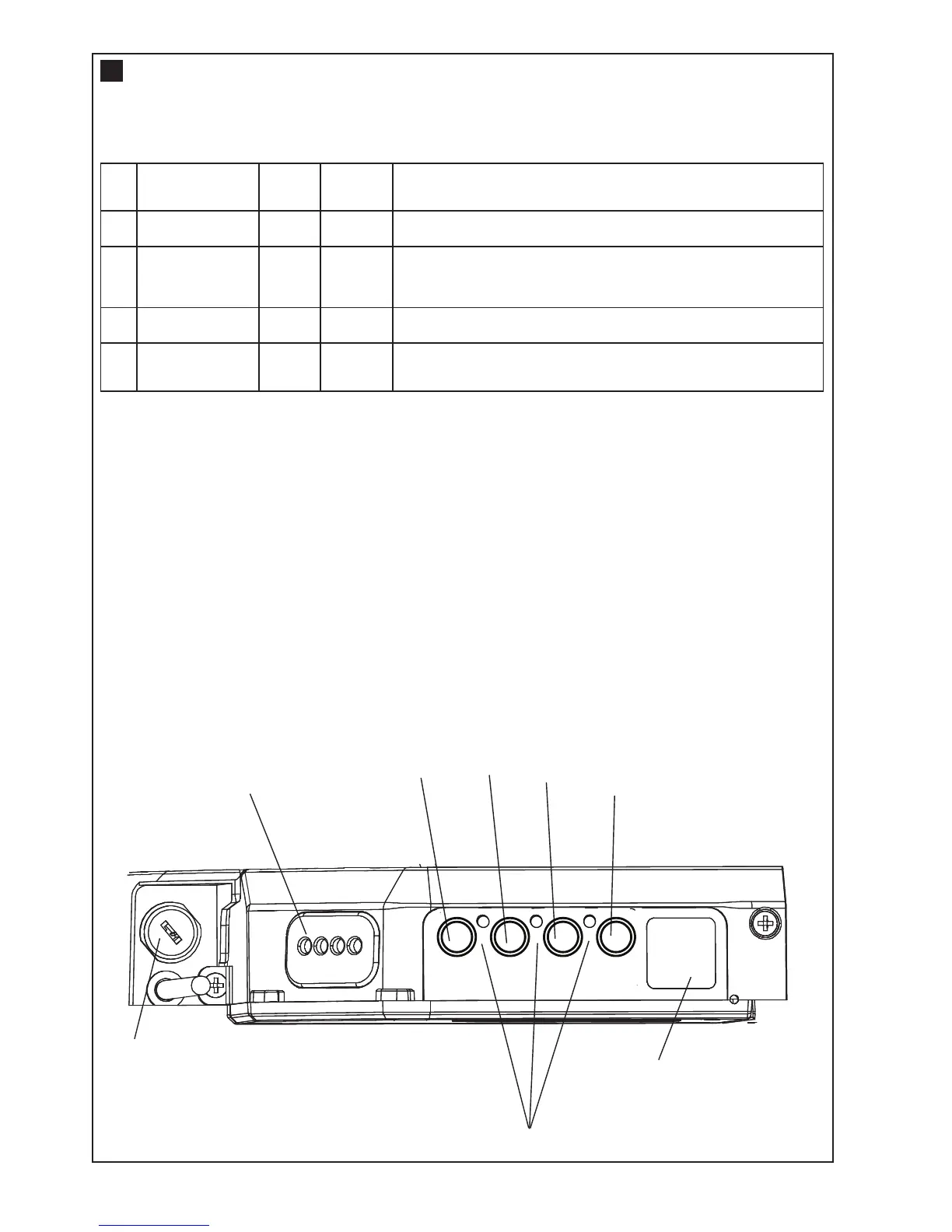
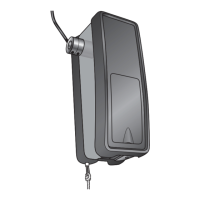
1. Terminal Block: used for external accessories (see chart below).
NOTE: The terminal block is weather protected by a rubber grommet.
When using external wiring, the cable holes can be punched through with a small screwdriver. These holes
should be sealed with silicon sealant in order to maintain the weather proof rating.
2. DN Button: used to drive door DOWN.
3. UP Button: used to drive door UP.
4. P Button: used to “PROGRAM” the DOOR LIMITS.
5. S Button: used to “SAVE” the “REMOTE CONTROLS”.
6. Key Lock: used to lock the engage/disengage mechanisim for commercial applications.
7. LEDs: 1. Program DOWN, and Diagnostic code indicator Number 1.
2. Program UP indicator.
3. Diagnostic code indicator Number 2.
8. Courtesy Light: turns on during operation and automatically turns off after 3 minutes.
No Function
Colour
Polarity Comment
1
Push button
Red
+ve
Dry contact input for push button wired wall controls:
2
Common
White
-ve
Common terminal for push button, IR Beams & accessory
power:
3 IR Beams
Grey
+ve
IR Beam Input: (pulsing type only) not active in sleeping mode
4
Accesory Power
Green
+ve
24v dc 50 mA accessory output available for a
universal receiver
CONTROL PANEL
7




 To Next Page