EasyManua.ls Logo

Chamberlain STAR1000 - User Interface Overview; Programming the Receiver; Initial PIN Setup

Chamberlain STAR1000
4 pages
Print Icon
To Next Page IconTo Next Page
To Previous Page IconTo Previous Page
Loading...
USER
IIIIERFACE
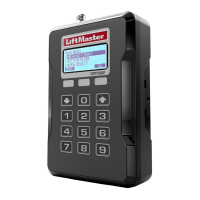
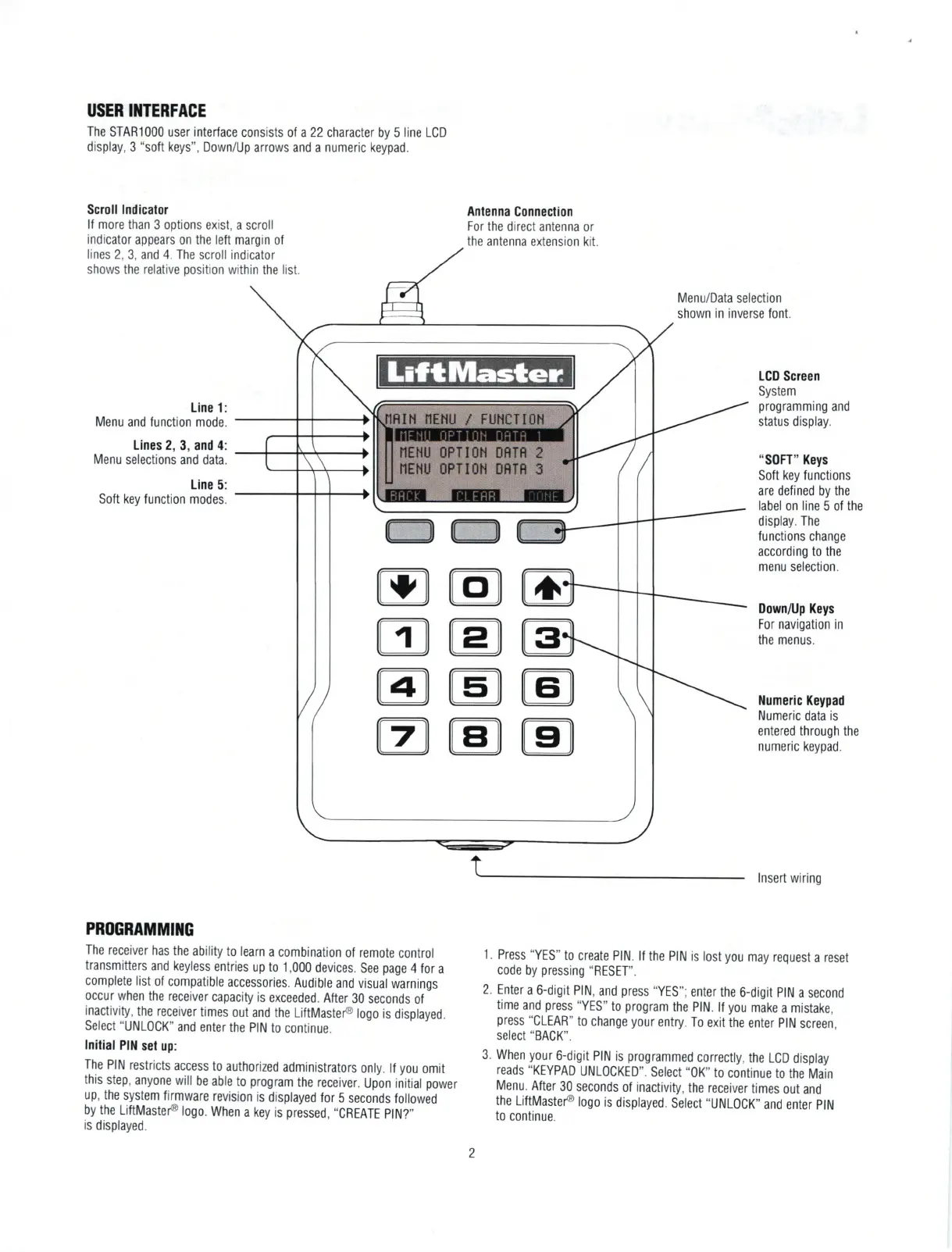
The
STAR1000 user
interface
consists ot a22 characler by 5 line LCD
display,
3
"soft
keys",
Down/Up
arrows and a numeric keypad.
Scroll
lndicalor
lf more
than 3 options
exist, a scroll
indicator
appears on the left margin
of
lines
2,
3, and
4. The
scroll indicator
shows the relative
position
within
the
list.
Line 1:
Menu
and function mode.
Lines 2,
3, and 4:
Menu
selections and data.
Line
5:
Soft key function
modes.
Antenna
Conneclion
For the
direct antenna or
the antenna
extension kit.
Menu/Data selection
shown
in inverse font
LCD Screen
System
programming
and
status display.
"S0FT"
Keys
Soft
key functions
are defined by
the
label on line 5 of the
display.
The
functions
change
according
to the
menu
selection.
DownflJp
Keys
For navigation in
the menus.
llumeric Keypad
Numeric
data
is
entered
through
the
numeric keypad.
lnsert wiring
PROGRAMMIIIG
The receiver
has the
ability
to learn
a combination
ol remote
control
transmitters
and keyless
entries
up to 1,000
devices.
See
page
4 for
a
complete
list
of compatible
accessories.
Audible
and visual
warnings
occur
when
the receiver
capacity is
exceeded.
After
30 seconds
of
inactivity,
the receiver
times
out and
the LiftMasteP
logo
is displayed.
Select
"UNL0CK"
and
enter the
plN
to
continue.
lnilial
Plil
set up:
The
PIN
restricts
access
to
authorized
administrators
only. ll
you
omit
this
step,
anyone will
be able
to
program
the receiver.
Up-on initial
power
up, the
system firmware
revision
is
displayed
for
5
seconds
followed
by the
LiftMasteP
logo.
When
a key is
pressed,
"CREATE
plN?"
is
displayed.
.l
. Press
"YES"
to create
PlN. lf
the PIN is
lost
you
may request
a reset
code
by
pressing
"RESET".
2.
Enter
a 6-digit
PlN,
and
press
"YES";
enter the
6-digit
plN
a second
time
and
press
"YES"
t0
program
the
plN.
lf
you
make
a mistake,
press
"CLEAR"
to
change
your
entry.
To
exit the
enter
plN
screen,
select
"BACK".
3.
When
yolr
6-digit
PIN
is
programmed
correcfly,
the LCD
display
reads
"KEYPAD
UNLOCKED".
Select
',0K,'to
continue
to
the
Main
Menu.
After
30 seconds
of inactivity,
the receiver
times
out and
the
LiftMasteP
logo
is
displayed.
Select
,,UNL0CK,'
and
enter
plN
to
continue.
M@
ME
@E
r@
L
Iil
NEHU
/
FUHCTION
NEHU OFTIOH
[]RTR 2
NEHU
BPTI(]N I)RTB 3

Other manuals for Chamberlain STAR1000

Related product manuals