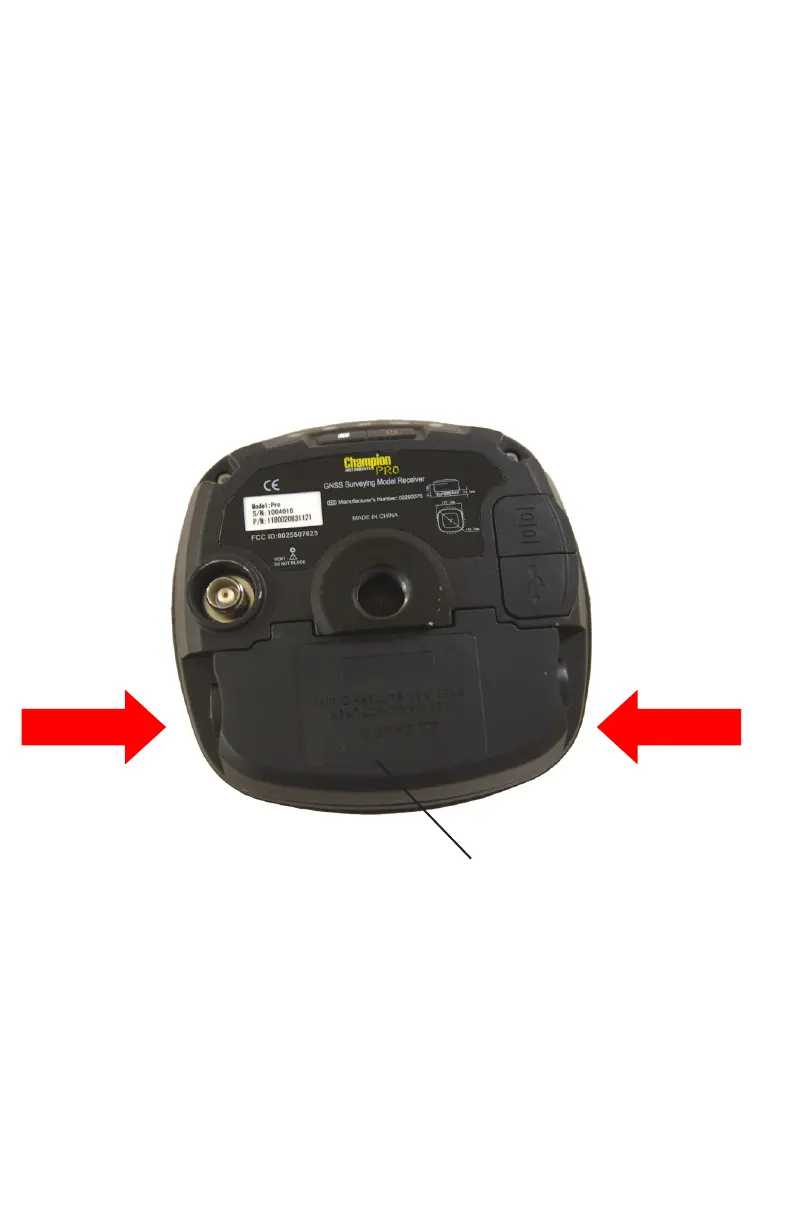
2.4. Inserting Battery and SIM Card
Press in the spring-loaded buttons on the battery cover to
open the cover.
Align the connector of the battery with the connections on
the receiver and snap the battery in place. Replace the
battery cover when finished.
To remove the battery, press in the spring-loaded buttons
and remove the cover.
Press buttons
and lift
Battery cover
Insert the SIM card with the contacts facing down while the
battery is removed. The notched end of the SIM card does
NOT go into the slot.
To remove the SIM card, lightly press down on the end not
under the holder, and slide the card out of the socket.
Tip – The SIM card is provided by your GSM cellular
network service provider.
15



 To Next Page