EasyManua.ls Logo

Champion CRN Series - User Manual

Champion CRN Series
20 pages
Print Icon
To Next Page IconTo Next Page
Loading...
CRN SERIES
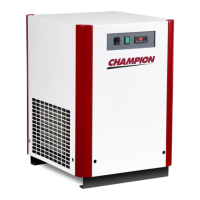
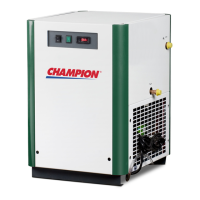
Models: CRN125, CRN150, CRN200, CRN250
SERVICE DEPARTMENT: (724) 746-1100
N SERIES
REFRIGERATED
COMPRESSED
AIR DRYERS
Contents
INSTRUCTION MANUAL
Models: CRN125, CRN150, CRN , C N250
®
7610.478.40D/0401037610.478.40D/0401037610.478.40D/040103
INTERNAL USE ONLY
7610.721.74 1/04
CA18-2-650, 1st Ed.
7610.478.40D/040103
INTERNAL USE ONLY
CRN300, CRN400, CRN500, CRN750
GENERAL SAFETY INFORMATION........................2
RECEIVING, MOVING, UNPACKING.......................2
1.0 INSTALLATION.....................................................3
2.0 OPERATION......................................................4-7
3.0 MAINTENANCE.................................................8-9
SIZING........................................................................10
ENGINEERING DATA...............................................11
ELECTRICAL SCHEMATICS...............................12-13
DIMENSIONS / WEIGHTS..................................14-15
TROUBLESHOOTING...........................................16-17
PARTS LIST ............................................................18
WARRANTY................................................................20

Questions and Answers

Summary

General Safety Information

1. PRESSURIZED DEVICES

Safety precautions for devices containing pressure.

2. ELECTRICAL

Electrical safety requirements and precautions.

3. BREATHING AIR

Considerations for breathing quality air from the dryer.

Receiving, Moving, and Unpacking

A. RECEIVING

Procedures for checking shipment for visible loss or damage.

B. UNPACKING

Checking for concealed loss or damage upon unpacking.

C. MOVING

Instructions for safely moving or transporting the dryer.

D. STORAGE;SHUT DOWN

Guidelines for storing the dryer and shutdown procedures.

Installation

1.1 Location

Guidance on selecting an appropriate installation location.

1.2 Mounting

Instructions for securely mounting the dryer to a surface.

1.3 Piping connections

Details on connecting air and water lines to the dryer.

A. Air Inlet

Connecting the compressed air line to the dryer's inlet.

B. Air Outlet

Connecting the dryer's outlet to downstream air lines.

D. Water-cooled models - cooling water inlet and outlet

Connecting cooling water supply and return lines for water-cooled units.

Electrical Connections

1.4 Electrical connections

Guidelines for making proper electrical connections to the dryer.

Moisture Separator

1.5 Moisture separator

Information on the moisture separator and its drain.

Operation

2.1 Minimum;Maximum operating conditions

Specifies the acceptable operating limits for the dryer.

2.2 Start-up

Step-by-step guide for safely starting the dryer.

Timer Drain

2.3 Timer Drain

Detailed information on the timer drain function.

2.4 Timer Drain Programming Mode

Procedure for programming the timer drain settings.

2.5 Operating check points

Periodic checks to ensure proper dryer operation.

SURE-SAVE Cooling Injection

2.6 SURE-SAVE Cooling Injection

Description of the SURE-SAVE cooling injection feature.

I-Controller Level 3

VFTD Text Viewing Instructions

How to navigate and view information on the VFTD display.

Programming Instructions

Steps for configuring the I-Controller Level 3 settings.

Start-up Instructions - I-Controller Level 3

Guide for initial startup of the I-Controller Level 3.

Electronic Demand Drain - I-Controller Level 3

2.8 Electronic Demand Drain - I-Controller Level 3

Operation and function of the electronic demand drain.

Operating Instructions - I-Controller Level 3

2. ALARM;ALERT Fault Condition Activation

Understanding and responding to alarm and alert conditions.

3. AUTO RESTART Function

Information on the automatic restart functionality.

4. REMOTE START;STOP Function

Using remote signals to start or stop the dryer.

5. DOWNLOADABLE MEMORY Function

Storing and outputting alarm event data.

6. RS-232 & RS-485 Communications Capable

Capabilities for host computer monitoring.

Maintenance

3.1 Condenser Coil

Cleaning procedures for the condenser coil.

3.2 Moisture Separator;Oil Removal Filter

Servicing the moisture separator and oil removal filter.

Procedure for Separator; Filter Element Replacement 125-500 scfm models

Steps for replacing separator and filter elements for specific models.

Separator; Filter Element Replacement 750 scfm Model

3.5 Rebuild drain mechanism annually.

Annual procedure for rebuilding the drain mechanism.

Sizing

TABLE 1

Rated capacity data for different models at standard conditions.

TABLE 2

Air capacity correction factors for various operating conditions.

Engineering Data

Electrical Schematics

Models 125, & 150 - 115 V;60 Hz (I-Controller Level 2)

Electrical schematic for specific models and controller.

Model 125 & 150 - 208-230 V;60 Hz; 220-240 V;50 Hz (I-Controller Level 2)

Electrical schematic for different voltage/frequency models.

Legend

Explanation of symbols used in the electrical schematics.

Electrical Schematics (Continued)

Models 200 thru 750-230-400-460-575 V;3;50-60 Hz (I-Controller Level 2)

Electrical schematic for higher capacity models (Level 2).

Models 200 thru 750-230-400-460-575 V;3;50-60 Hz (I-Controller Level 3)

Electrical schematic for higher capacity models (Level 3).

Dimensions;Weights

Dimensions;Weights (Continued)

Troubleshooting Guide

A. Water downstream of dryer

Diagnosing and correcting water downstream of the dryer.

B. High pressure drop across dryer

Troubleshooting high pressure drop issues.

C. Dew point indicator in red area

Addressing issues when the dew point indicator is red.

D. Refrigeration system not functioning properly

Diagnosing problems with the refrigeration system.

Troubleshooting Guide (I-Controller Level 3)

ALERT AMBIENT TEMP

Troubleshooting high ambient air temperature alerts.

ALERT INLET AIR TEMP

Troubleshooting high inlet air temperature alerts.

ALARM DEW POINT TEMP

Troubleshooting high dew point temperature alarms.

SHUTDOWN LOW PRESSURE

Addressing low compressor suction pressure shutdowns.

SHUTDOWN HIGH PRESSURE

Addressing high compressor discharge pressure shutdowns.

SHUTDOWN MOTOR PROTECT

Troubleshooting compressor motor overload protection.

ALERT MAINTENANCE

Responding to maintenance reminder alerts.

ALARM DRAIN

Troubleshooting condensate drain failure alarms.

Parts List

Warranty

Summary

General Safety Information

1. PRESSURIZED DEVICES

Safety precautions for devices containing pressure.

2. ELECTRICAL

Electrical safety requirements and precautions.

3. BREATHING AIR

Considerations for breathing quality air from the dryer.

Receiving, Moving, and Unpacking

A. RECEIVING

Procedures for checking shipment for visible loss or damage.

B. UNPACKING

Checking for concealed loss or damage upon unpacking.

C. MOVING

Instructions for safely moving or transporting the dryer.

D. STORAGE;SHUT DOWN

Guidelines for storing the dryer and shutdown procedures.

Installation

1.1 Location

Guidance on selecting an appropriate installation location.

1.2 Mounting

Instructions for securely mounting the dryer to a surface.

1.3 Piping connections

Details on connecting air and water lines to the dryer.

A. Air Inlet

Connecting the compressed air line to the dryer's inlet.

B. Air Outlet

Connecting the dryer's outlet to downstream air lines.

D. Water-cooled models - cooling water inlet and outlet

Connecting cooling water supply and return lines for water-cooled units.

Electrical Connections

1.4 Electrical connections

Guidelines for making proper electrical connections to the dryer.

Moisture Separator

1.5 Moisture separator

Information on the moisture separator and its drain.

Operation

2.1 Minimum;Maximum operating conditions

Specifies the acceptable operating limits for the dryer.

2.2 Start-up

Step-by-step guide for safely starting the dryer.

Timer Drain

2.3 Timer Drain

Detailed information on the timer drain function.

2.4 Timer Drain Programming Mode

Procedure for programming the timer drain settings.

2.5 Operating check points

Periodic checks to ensure proper dryer operation.

SURE-SAVE Cooling Injection

2.6 SURE-SAVE Cooling Injection

Description of the SURE-SAVE cooling injection feature.

I-Controller Level 3

VFTD Text Viewing Instructions

How to navigate and view information on the VFTD display.

Programming Instructions

Steps for configuring the I-Controller Level 3 settings.

Start-up Instructions - I-Controller Level 3

Guide for initial startup of the I-Controller Level 3.

Electronic Demand Drain - I-Controller Level 3

2.8 Electronic Demand Drain - I-Controller Level 3

Operation and function of the electronic demand drain.

Operating Instructions - I-Controller Level 3

2. ALARM;ALERT Fault Condition Activation

Understanding and responding to alarm and alert conditions.

3. AUTO RESTART Function

Information on the automatic restart functionality.

4. REMOTE START;STOP Function

Using remote signals to start or stop the dryer.

5. DOWNLOADABLE MEMORY Function

Storing and outputting alarm event data.

6. RS-232 & RS-485 Communications Capable

Capabilities for host computer monitoring.

Maintenance

3.1 Condenser Coil

Cleaning procedures for the condenser coil.

3.2 Moisture Separator;Oil Removal Filter

Servicing the moisture separator and oil removal filter.

Procedure for Separator; Filter Element Replacement 125-500 scfm models

Steps for replacing separator and filter elements for specific models.

Separator; Filter Element Replacement 750 scfm Model

3.5 Rebuild drain mechanism annually.

Annual procedure for rebuilding the drain mechanism.

Sizing

TABLE 1

Rated capacity data for different models at standard conditions.

TABLE 2

Air capacity correction factors for various operating conditions.

Engineering Data

Electrical Schematics

Models 125, & 150 - 115 V;60 Hz (I-Controller Level 2)

Electrical schematic for specific models and controller.

Model 125 & 150 - 208-230 V;60 Hz; 220-240 V;50 Hz (I-Controller Level 2)

Electrical schematic for different voltage/frequency models.

Legend

Explanation of symbols used in the electrical schematics.

Electrical Schematics (Continued)

Models 200 thru 750-230-400-460-575 V;3;50-60 Hz (I-Controller Level 2)

Electrical schematic for higher capacity models (Level 2).

Models 200 thru 750-230-400-460-575 V;3;50-60 Hz (I-Controller Level 3)

Electrical schematic for higher capacity models (Level 3).

Dimensions;Weights

Dimensions;Weights (Continued)

Troubleshooting Guide

A. Water downstream of dryer

Diagnosing and correcting water downstream of the dryer.

B. High pressure drop across dryer

Troubleshooting high pressure drop issues.

C. Dew point indicator in red area

Addressing issues when the dew point indicator is red.

D. Refrigeration system not functioning properly

Diagnosing problems with the refrigeration system.

Troubleshooting Guide (I-Controller Level 3)

ALERT AMBIENT TEMP

Troubleshooting high ambient air temperature alerts.

ALERT INLET AIR TEMP

Troubleshooting high inlet air temperature alerts.

ALARM DEW POINT TEMP

Troubleshooting high dew point temperature alarms.

SHUTDOWN LOW PRESSURE

Addressing low compressor suction pressure shutdowns.

SHUTDOWN HIGH PRESSURE

Addressing high compressor discharge pressure shutdowns.

SHUTDOWN MOTOR PROTECT

Troubleshooting compressor motor overload protection.

ALERT MAINTENANCE

Responding to maintenance reminder alerts.

ALARM DRAIN

Troubleshooting condensate drain failure alarms.

Parts List

Warranty

Champion CRN Series Specifications

General IconGeneral
TypeDehumidifier
ModelCRN Series
Air FlowVaries by model
CapacityVaries by model
Coverage AreaVaries by model
Humidity ControlAdjustable
Water RemovalVaries by model
Noise LevelVaries by model
Power Supply220-240V, 50Hz
DimensionsVaries by model
WeightVaries by model

Related product manuals