SMARTenna
™
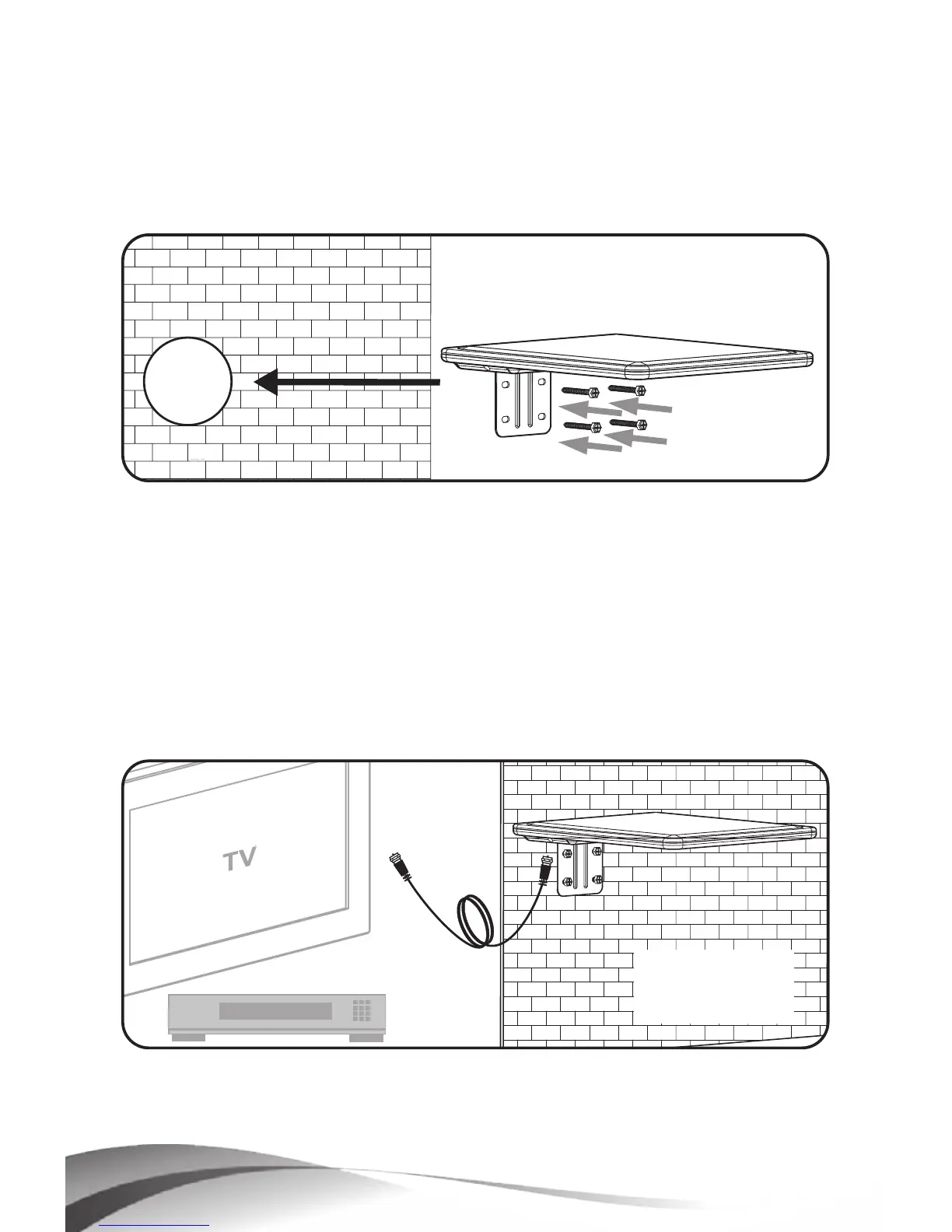
3. Determine the location on the wall where the antenna
is to be mounted, preferably on the side of the house
facing the TV station transmitters.
4.
Attach the antenna to the house using the four (55
mm) self-tapping screws provided (Fig. 4).
Figure 4
5. Run coaxial cable between the TV set location and
the CM3000HD antenna and attach F connectors to
both ends of the cable.
6.
Attach the connector on the antenna end of the
cable to the CM3000HD.
7.
Attach the connector on the TV set end of the cable
to the TV set or Set Top Box/DVR. (Fig. 5)
Figure 5
8. See Operating Instructions on page 10.
9.
Installation is now complete.



 To Next Page