InstallationmanualChargestormConnected page3
ChargestormAB
5 Installation
Step 1) Unpack – Unpack the charging station and all parts from
the cardboard box.
Step 2) Drill holes in the wall – Decide mounting position on the
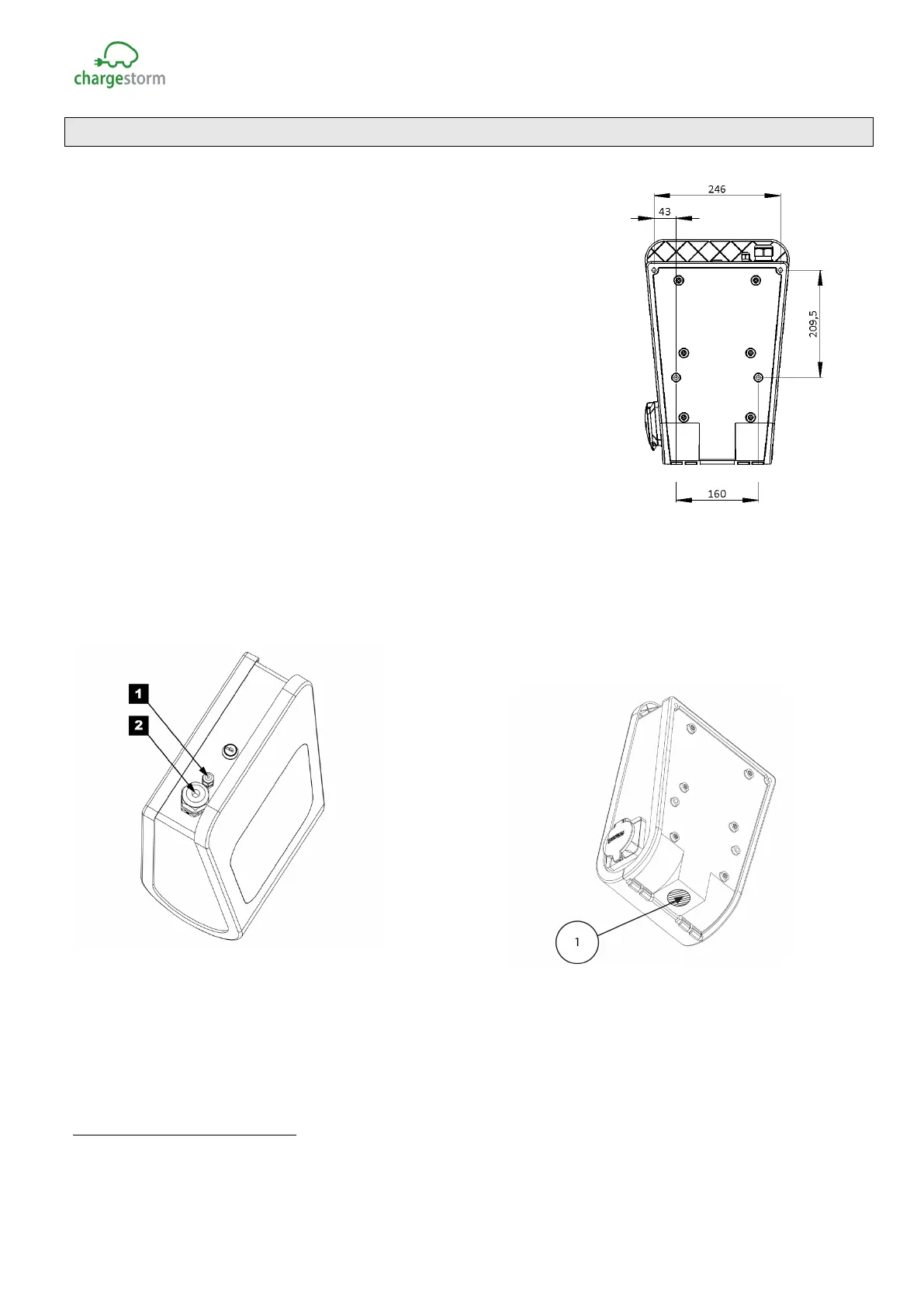
wall. Drill four holes according to drawing, see Figure 4.
Step 3) Decide input location for power and network
1
– Power
and network cable can either be connected from the top or the
bottom. If cables are inserted from below must holes be drilled in
the unit according to Figure 3. It is strongly advised that power
cable is coming from below for outdoor installation, avoiding any
problems with water entering the unit from the top along the
cable during rain.
When cables are connected from the top: There are two holes on
the top. The largest 2. (M32) is for power while the smaller 1.
(M12) is for network see Figure 5. The cable gland for 1. that is
delivered with the product supports cable dimensions between12-
22mm while the gland for 2. supports 3-6mm. The glands must be
replaced if the cables are outside specified range. If the charging station shall be part of a load balancing
installation or be connected to the backend via Ethernet must a network cable be connected to the
controller board RJ45 port. Cable glands shall be used to protect for dust and water penetration. More
information related to load balancing is available in, ref. 2) and ref. 3).If wiring is connected from below
must holes be drilled in the unit according toFigure 3.
Figure 5 Cable glands for incoming cables
Step 4) Wall mount – Unlock and open the box with the key. Locate the four screwing holes in the
back cover. M8 screw with at least t 40 mm length is recommended. Place the charging station on
selected wall position and fastened the unit with the four screws. Control that unit is firmly mounted on
the wall.
1
For three-phase Chargestorm Connected models with dual connectors power cable must enter from
below. Further, these models support 16mm
2
cable area.
Figure 4 Drill location
GACELL A/S - Sletten 17 - DK 7500 Holstebro - 961 02 961



 To Next Page