EasyManua.ls Logo

Chase Ingenico ICT250 - User Manual

Default Icon
7 pages
Print Icon
To Next Page IconTo Next Page
Loading...
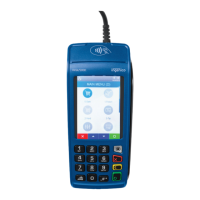
Ingenico ICT220, ICT250, IWL220 & IWL250
Retail & Restaurant POS
Terminal Guide
This Quick Reference Guide
will guide you through
understanding your
terminal’s functionality,
for both countertop
and wireless devices,
and will help you with
troubleshooting your
payment application.
Question and Answer IconNeed help?

Do you have a question about the Chase Ingenico ICT250 and is the answer not in the manual?

Summary

Key Functions

ICT220 & ICT250 Navigation

Key mapping for ICT220/ICT250 terminals.

IWL220 & IWL250 Navigation

Key mapping for IWL220/IWL250 terminals.

Navigating Your Terminal

Begin a Transaction

Access main menu to select transaction type and process.

Available Transaction Types

Credit;Debit Transactions

Sale, Return, Void for credit/debit cards.

Credit Only Transactions

Force, Pre-Auth, Open/Close Tab.

Contactless Payments

Process contactless transactions.

Integrated Contactless Technology

Settlement

Manual Settlement

Close current batch and open new batch manually.

Auto Settlement

Automatic batch closing at a set time.

Common Error Codes

Transaction Error Codes

Codes for common transaction errors and their actions.

Chase Ingenico ICT250 Specifications

General IconGeneral
BrandChase
ModelIngenico ICT250
CategoryTouch terminals
LanguageEnglish

Related product manuals