
 Need help?
Do you have a question about the Chase Moby 5500 and is the answer not in the manual?
Understand the LED light colors for charging status: red for charging, solid green when fully charged.
Learn to power on the reader using the power button and its auto-off feature for battery preservation.
Enable Bluetooth on your device and sign into the Chase Mobile Checkout app to begin pairing.
Navigate to Card Readers within the app and select your Moby reader from the available devices list.
Tap 'Pair' when prompted and disregard the displayed code for secure LED-based pairing.
Observe the LED lights on the reader and match the displayed sequence with the app for confirmation.
Use the 'Replay' option if the LED sequence is unclear or needs to be viewed again.
Toggle 'Set as active device' to designate the Moby reader as the primary device for transactions.
Tap 'Save' to finalize the reader setup and add it to the list of Saved Devices.
Ensure pairing is done exclusively through the Chase Mobile Checkout app, not device system settings.
If issues arise, learn to 'forget' the reader in iOS Bluetooth settings before re-pairing.
Check minimum requirements: iOS 10, Android 6, BLE 4, and Chase Mobile Checkout v4.1.
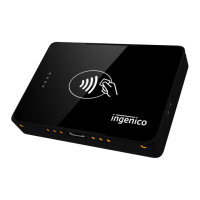
The reader supports magnetic stripe, chip, and contactless transactions with added encryption for data protection.
User agrees Ingenico is not liable for damages resulting from various scenarios, including service deficiencies or acts of God.
Details on FCC rules, interference, and Specific Absorption Rate (SAR) information for safe operation.
 General
| Brand | Chase |
|---|---|
| Model | Moby 5500 |
| Category | Card Reader |
| Language | English |

 To Next Page