1. GETTING STARTED
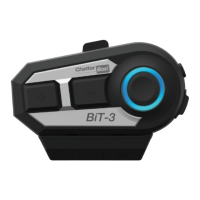
Thank you for choosing our ChatterBox BiT-3, Bluetooth Communication System for
bike helmet.
Main features
• Bluetooth V 4.1
• 1:1 intercom maximum range up to 400 meters (Refer to FAQ)
• Universal Intercom
• FM radio
• 5 Languages Voice Prompt (English, French, German, Italian, Spanish)
• Water Resistance
• Dual pairing with two Bluetooth devices (Mobile-phone, MP3, Navigation)
Package contents
• Main unit with a pre-installed battery
• USB charging cable
• Microphones for both open-face and full-face helmets.
• Speaker, Velcro for speakers, Velcro for microphones, foam microphone-covers
• Helmet mounting bracket, cradle, 2 screws and L-wrench
• User manual
Battery Charging
Connect the supplied USB cable into a PC or wall charger.
Be sure to charge the product using the charging cable provided. Charge with a nor-
mal charger of 5V or less than 1.2A. Using a high-speed charger for mobile-phones
or a supplementary battery with high-speed charging (9V, higher than 1.2A) may
inate the battery, cause explosion, or damage internal circuits.
With normal charger, it takes 2.5~3 hours to fully charge. Charging time depends on
the temperature. The red LED ashes while in charging and the blue LED lights and
stay showing the charging is done. If the charging is nished disconnect the charging
cable. Over charging may cause battery ination.
You can charge BiT-3 with a power bank while you are using it. In this case, red LED
and purple LED (red and blue LED at the same time) ashes alternately. When the
charging is nished, blue LED ashes.
5


 To Next Page