8
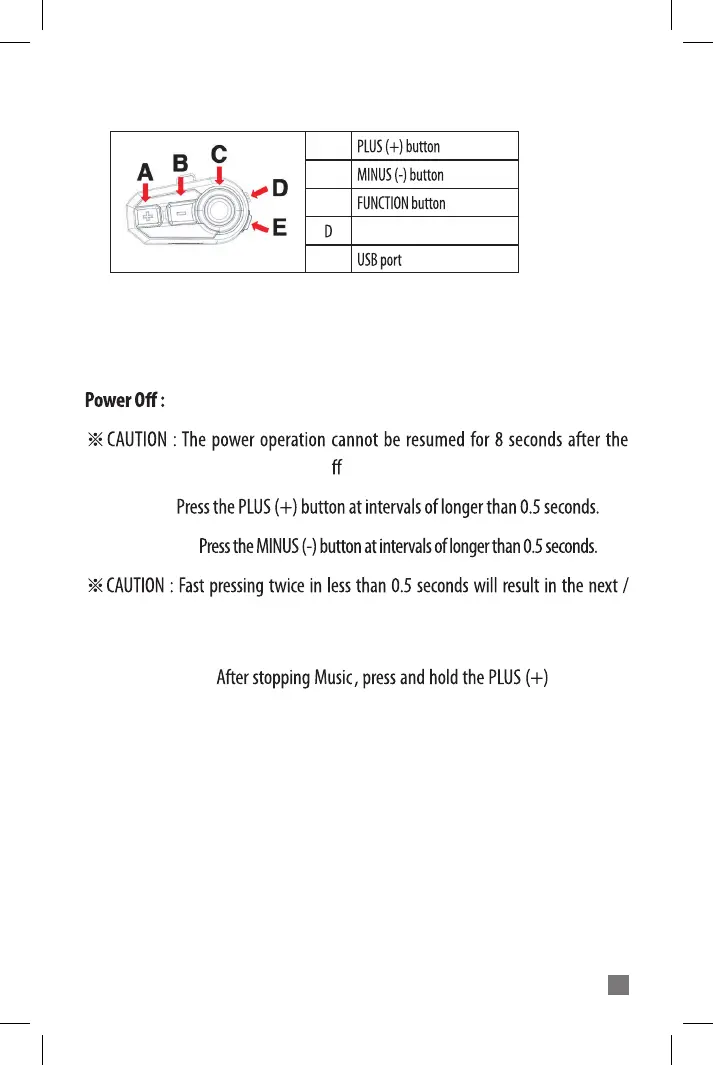
3. BUTTONS AND INPUTS
4. BASIC FUNCTIONS
Power On : Long press POWER button for 3 seconds.
Long press POWER button for 6 seconds.
power is turned on or o . Please try again after 8 seconds.
Volume Up :
Volume Down :
previous song selection in Music mode or channel search on FM radio
mode.
A
B
C
E
POWER button
Voice Command :
button at the same time for more than 1 second to use the voice recognition feature
(Siri, S-voice, etc.) within your mobile-phone. The voice recognition feature on your
mobile-phone must be enabled.



 To Next Page