EasyManua.ls Logo

Chauvet Hurricane 1800 Flex - User Manual

Chauvet Hurricane 1800 Flex
19 pages
Print Icon
To Next Page IconTo Next Page
Loading...
3000 N 29
th
Ct, Hollywood, FL 33020 U.S.A.
(800) 762-1084 (954) 929-1115
FAX (954) 929-5560
www.chauvetlighting.com
Hurricane 1800 Flex
USER MANUAL
Snapshot
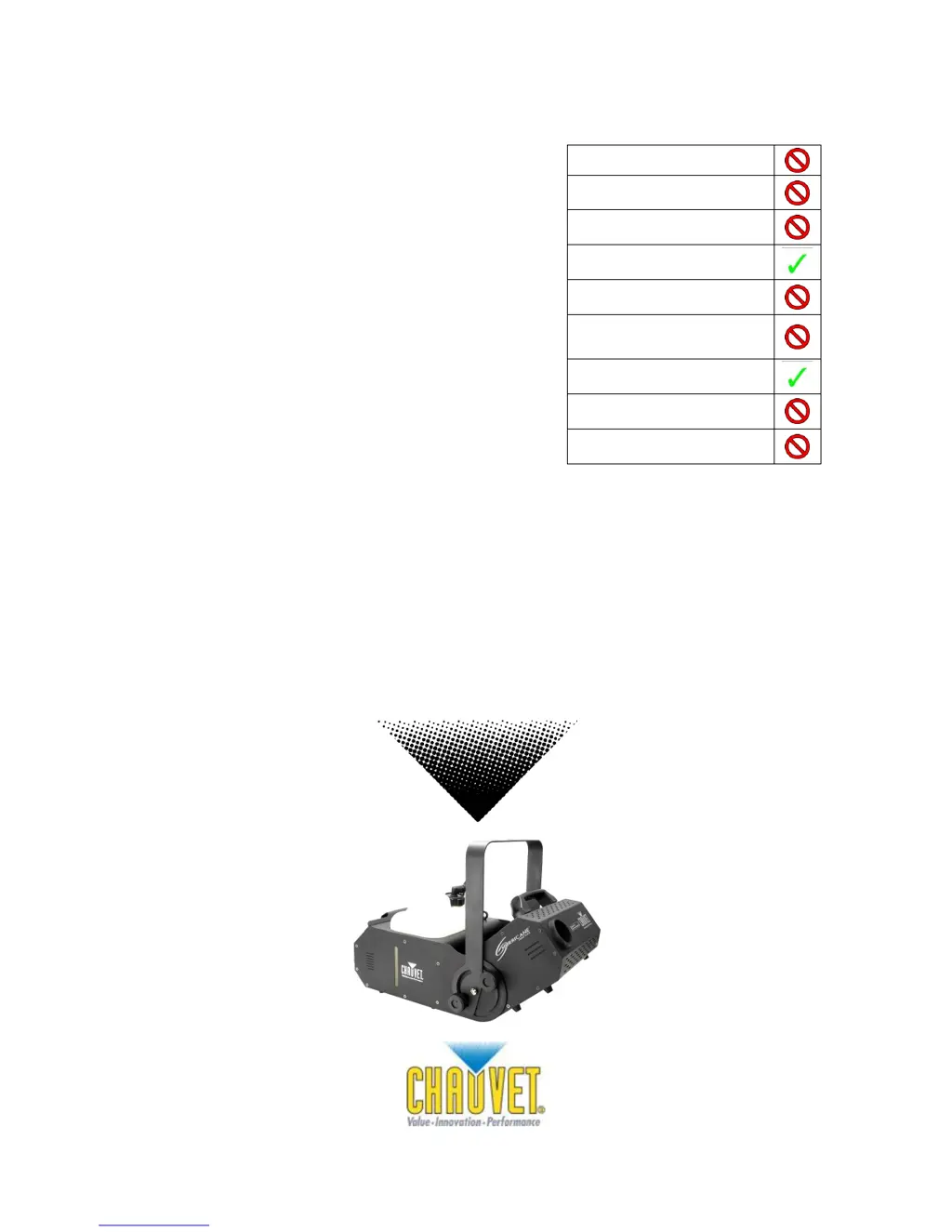
OK on Dimmer
Outdoor OK
Sound Activated
DMX
Master/Slave
115 V / 230 V
Switchable
Resettable breaker
User Serviceable
Duty Cycle

Other manuals for Chauvet Hurricane 1800 Flex

Questions and Answers

  • B
    Bridget BrewerAug 14, 2025
    How to fix loss of signal on Chauvet Hurricane 1800 Flex?
    • M
      Michael MitchellAug 14, 2025
      If you're experiencing a loss of signal with your Chauvet Fog Machine, use only DMX cables and install a terminator. Also, keep DMX cables separated from power cables or black lights.
  • X
    xhigginsAug 17, 2025
    Why is there no output from my Chauvet Lighting Equipment?
    • S
      Sarah LeonAug 18, 2025
      If your Chauvet Lighting Equipment has no or short output, several factors could be at play. First, give the product up to 10 minutes to warm up completely. An air bubble in the fluid line might be the issue; let the product warm up fully to resolve this. Alternatively, try turning the fog machine 45° to flatten the bubble, ensuring proper fluid flow. You can also turn the product off for 5 seconds, then back on, repeating as needed, but if you attempt this more than 10 times, further assistance is needed. Ensure you're using the correct fluid; if not, clean the unit thoroughly with CHAUVET® FCQ and refill with CHAUVET® water-based haze fluid. Blocked pipes or a failing part could also be the cause, requiring expert attention.
  • B
    Briana DanielsAug 21, 2025
    What to do if my Chauvet Lighting Equipment does not power up?
    • B
      Bradley ArmstrongAug 21, 2025
      If your Chauvet Lighting Equipment isn't powering on, start by checking the power outlet and trying another one. Inspect the power cord for any looseness or damage. If these steps don't work, the issue might be internal, requiring professional repair.
  • A
    Alicia MoralesAug 25, 2025
    Why does the circuit breaker keep blowing with my Chauvet Lighting Equipment?
    • B
      Beth WyattAug 25, 2025
      If the circuit breaker or fuse keeps blowing in your Chauvet Lighting Equipment, it could be due to an excessive load on the circuit. Ensure the total load doesn't exceed the breaker or fuse's recommended capacity. Another potential cause is a short circuit along the power lines, so inspect the power lines and power cords for any issues.
  • K
    Kyle WardAug 28, 2025
    How to fix a Chauvet Lighting Equipment that does not respond to DMX?
    • V
      vincent65Aug 28, 2025
      If your Chauvet Lighting Equipment isn't responding to DMX, first ensure the starting address on the product is correctly set. Then, check the DMX controller's polarity setting and change it if necessary. Also, inspect the DMX cable entering the unit for any looseness or damage. If none of these steps resolve the issue, the problem may be internal and require repair.
  • A
    Amber ToddAug 31, 2025
    Why is my Chauvet Lighting Equipment spitting fluid?
    • P
      paula61Aug 31, 2025
      If your Chauvet Lighting Equipment is spitting fluid, the issue might be due to incorrect fluid. Clean the unit thoroughly with CHAUVET® FCQ and refill it with CHAUVET® water-based haze fluid. Blocked pipes or a failing part could also be the cause, requiring expert attention.
  • K
    Karen RobertsonSep 3, 2025
    How to troubleshoot intermittent DMX issues with Chauvet Lighting Equipment?
    • J
      Jessica KnightSep 3, 2025
      For intermittent DMX problems with your Chauvet Lighting Equipment, start by replacing any non-DMX cables with true DMX cables. Keep DMX cables away from AC wires or radio equipment to avoid interference. If the DMX cable is too long, use a shorter one or install an optically coupled DMX amplifier right before the product experiencing issues. Finally, ensure a terminator is connected.
  • M
    Mrs. Hannah Walker DVMSep 7, 2025
    What causes false sensor readings on Chauvet Lighting Equipment?
    • S
      Selena MunozSep 7, 2025
      If your Chauvet Lighting Equipment shows a false sensor reading (priming), it may be due to air bubbles in the fluid line or an empty fluid tank. Refill the tank, allow the unit to reach normal operating temperature until the blue indicator lights up, set the output to the highest level, and power cycle the unit 1-2 times until the fluid reaches the sensor and the blue tank indicator light stops flashing. Alternatively, while the unit is operating, pinch the fluid line between your thumb and forefinger for 3 to 5 seconds to create a vacuum, then release. Another method involves removing (but not disconnecting) the fluid tank while the unit is operating and tilting the machine at a 45° angle. If the tank is empty, refill it with the correct CHAUVET® water-based haze fluid.
  • Q
    qsullivanSep 10, 2025
    Why does the circuit breaker keep blowing on my Chauvet Flood Light?
    • J
      Jennifer JohnsonSep 10, 2025
      The circuit breaker might be blowing on your Chauvet Flood Light due to an excessive load on the circuit. Ensure that the total load does not exceed the recommended capacity of the breaker or fuse’s nominal current. It could also be due to a short circuit along the power lines, so check the power lines and power cords.

Summary

BEFORE YOU BEGIN

What is included

Lists items included in the product package.

Unpacking Instructions

Steps for safely unpacking the fixture.

AC Power

Information on connecting the fixture to AC power and voltage requirements.

Safety Instructions

Important safety precautions for installation and use.

INTRODUCTION

Features

Highlights the main features of the Hurricane 1800 Flex.

DMX Channel Summary

Details the DMX channel allocation for fog output.

Product Overview

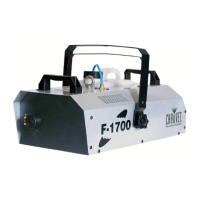
Illustrates and labels the different parts of the fixture.

SETUP

Breaker Reset

Instructions on how to reset the fixture's circuit breaker.

Fixture Linking Methods

Guidance on connecting multiple fixtures using DMX or master/slave modes.

Data Cabling and Connectivity

Information on choosing DMX cables, connectors, and conversion for reliable data transmission.

Mounting and Rigging

Guidance on fixture mounting, orientation, and rigging safety.

OPERATING INSTRUCTIONS

Operation

General overview of operating the fixture.

DMX Mode

How to operate the fixture using DMX control.

DMX CHANNEL VALUES

Explains DMX channel functions and values.

Auto cut-off feature

Details the safety feature that prevents pump damage when fluid is low.

Wireless Controller Operation

Instructions for using the optional wireless remote.

Setting DMX Starting Address

Guide to setting the DMX start address using DIP switches.

DMX Quick Reference Chart

A chart for quickly referencing DMX address settings.

General Troubleshooting

Common issues and their solutions for lights and foggers.

Technical Support

Contact information for technical assistance.

APPENDIX

Warnings and Precautions

Important warnings and cautions regarding fogger operation and safety.

Maintenance and Storage

Guidelines for cleaning, maintaining, and storing the fog machine.

Returns and Claims

Procedures for returning merchandise and filing damage claims.

Contact Information

Contact details for general information and technical support.

Technical Specifications

Detailed technical data and specifications for the Hurricane 1800 Flex.

Chauvet Hurricane 1800 Flex Specifications

Power IconPower
AC power115 VAC, 60 Hz or 230 VAC, 50Hz
breaker size (120 V version)15 A, 125 V
power consumption (120 V)1, 364 W (11.9 A)
inrush current (120 V)11.7 A
power factor (120 V)0.99
breaker size (230 V version)8 A, 250 V
power consumption (230 V)1, 300 W (5.7 A)
inrush current (230 V)6 A
power factor (230 V)0.99
output25, 000 cfm
fluid consumption150 ml/min
Operating Environment IconOperating Environment
maximum ambient temperature104° F (40° C)
Weight and Dimensions IconWeight and Dimensions
length22.2 in
width13.4 in
height15.0 in
weight27.6 lbs

Related product manuals