EasyManua.ls Logo

Chauvet Obey 4 - User Manual

Chauvet Obey 4
76 pages
Print Icon
To Next Page IconTo Next Page
Loading...
=
User Manual

Table of Contents

Questions and Answers

Summary

BEFORE YOU BEGIN

What is Included

Lists the components included in the package.

Unpacking Instructions

Guides on how to unpack and inspect the product upon arrival.

Manual Conventions

Explains symbols and formatting used in the manual for clarity.

Icons

Describes icons used to highlight important information for users.

Safety Instructions

Provides critical safety precautions for installation, operation, and maintenance.

INTRODUCTION

Features

Highlights key capabilities and functions of the Obey 4 controller.

Product Overview

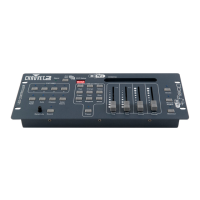
Provides a visual guide and labels for the controller's front and back panels.

SETUP

AC Power

Details power requirements and connection guidelines for the unit.

Mounting

Covers mounting options and installation procedures for the controller.

Orientation

Specifies the proper orientation for mounting the controller.

Installation

Provides instructions and dimensions for physically installing the controller.

Fixture Addressing

Explains how to set DMX starting addresses for controlling multiple fixtures.

OPERATING INSTRUCTIONS

Preset Operation

Describes how to use the nine built-in preset color options for lighting.

RGB Fade Operation

Explains the automatic color fading program for all connected fixtures.

Auto Operation

Details the automatic programs that change unit colors randomly and independently.

Chase Operation

Guides on selecting and using preset color chases for dynamic lighting effects.

RGB Offset Operation

Explains the program that creates sequential color chases across fixtures.

Color Macro Operation

Describes how to select and control preset color macros with varying intensities.

Sound-Override

Explains how to trigger modes using the built-in microphone for sound-reactive lighting.

White (or Amber)

Details the independent operation of the White/Amber fader and its control limitations.

Strobe-Override

Explains how to activate and control strobe effects on the fly across operating modes.

Blackout

Details the dedicated blackout button and its function with the fade time fader.

Manual RGBW Mode

Describes how to manually create custom color combinations using RGBW faders.

APPENDIX

DMX Primer

Introduces DMX basics, channels, and addressing for lighting control.

General Troubleshooting

Provides solutions for common issues like power problems or loss of DMX signal.

Fixture Linking

Explains how to connect multiple fixtures in a serial data link using DMX.

Data Cabling

Details requirements for DMX data cables, including type and specifications.

DMX Data Cable

Specifies the characteristics required for a DMX data cable.

Cable Connectors

Describes XLR connectors and DMX connector pin configurations.

Setting the Starting Address

Guides on setting the initial DMX channel address for each fixture.

3-Pin to 5-Pin Conversion Chart

Provides a chart for converting between 3-pin and 5-pin DMX connectors.

Setting up a DMX Serial Data Link

Illustrates the process of connecting fixtures in a serial DMX data link.

General Maintenance

TECHNICAL SPECIFICATIONS

RETURNS

CONTACT US

Chauvet Obey 4 Specifications

General IconGeneral
TypeDMX Controller
Channels4
DMX Connectors3-pin XLR
DMX Output1
DMX Input1
Operating Temperature32°F to 104°F (0°C to 40°C)
Storage Temperature-4°F to 140°F (-20°C to 60°C)
ControlDMX
Power SupplyExternal power supply

Related product manuals