EasyManua.ls Logo

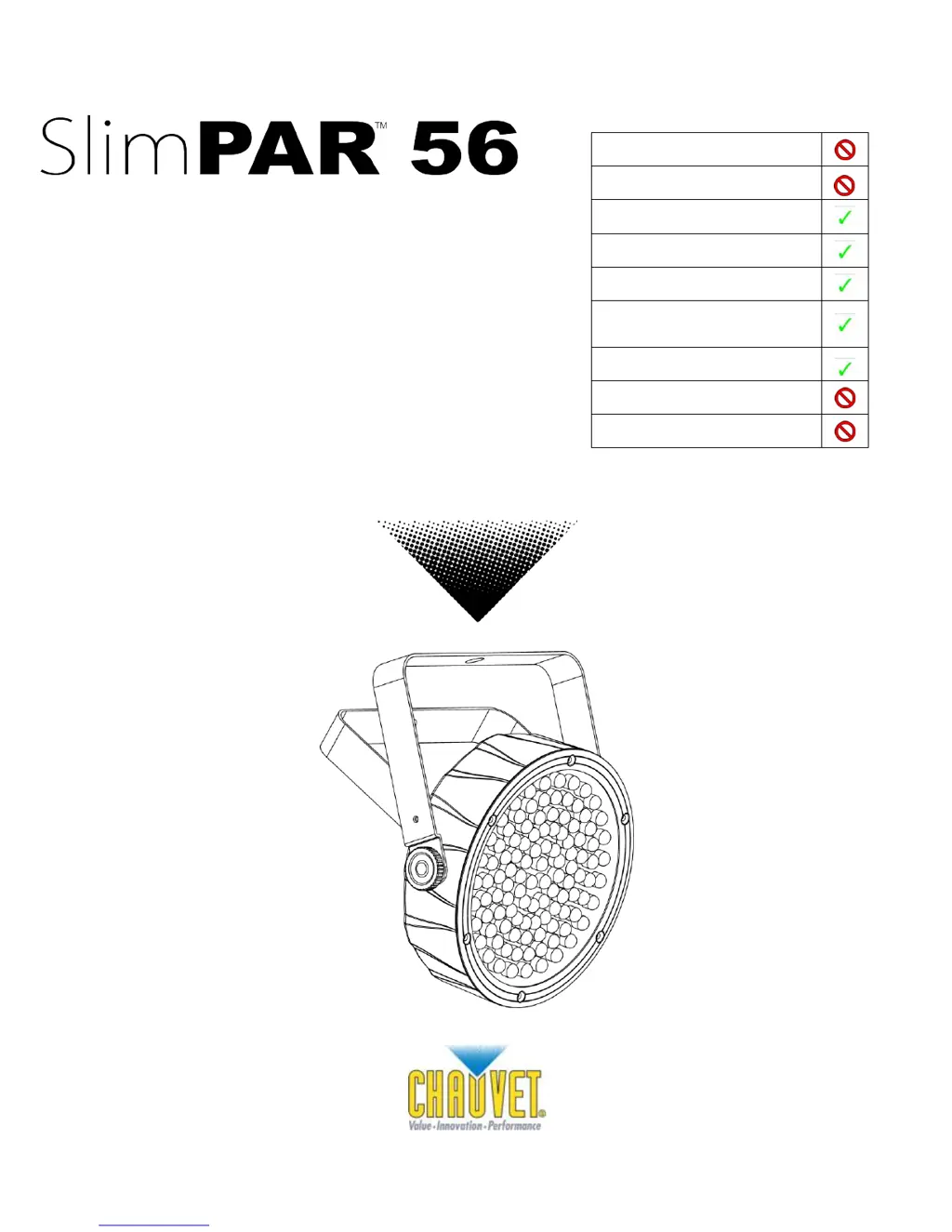
Chauvet SLIMPAR 56 - User Manual

Chauvet SLIMPAR 56
18 pages
Print Icon
To Next Page IconTo Next Page
Loading...
3000 N 29
th
Ct, Hollywood, FL 33020 U.S.A.
(800) 762-1084 (954) 929-1115
FAX (954) 929-5560
www.chauvetlighting.com
User Manual
Snapshot
Use on Dimmer
Outdoor Use
Sound Activated
DMX
Master/Slave
Auto-ranging
Power Supply
Replaceable Fuse
User Serviceable
Duty Cycle

Other manuals for Chauvet SLIMPAR 56

Questions and Answers

Summary

Before You Begin

What is Included

Lists all items included in the SlimPAR 56 package.

Unpacking Instructions

Guidance on how to unpack the fixture and handle potential shipping damage.

Manual Conventions

Explains text and symbol conventions used throughout the manual.

Icons Used

Defines icons indicating important or critical user information.

Safety Instructions

Important safety precautions for installation, usage, and maintenance.

Introduction

Key Features

Highlights the main capabilities and operating modes of the SlimPAR 56.

Product Overview

Provides a visual diagram and labels for the fixture's main components.

Setup

AC Power Connection

Instructions for safely connecting the fixture to AC power.

Power Linking

Details on how to connect multiple fixtures together for power distribution.

Mounting and Rigging

Guidelines for securely mounting and positioning the fixture.

Operating Instructions

Configuring DMX Starting Address

How to set the initial DMX channel for fixture control.

Control Panel Functions

Explains the fixture's buttons and display for operation.

DMX Operation Mode

How to control the fixture using an external DMX controller.

Master;Slave Operation

Setup for controlling multiple fixtures from one master unit.

Automatic Standalone Mode

Using preprogrammed chases without a controller.

Sound-Active Standalone Mode

Using preprogrammed sound-triggered chases.

Preset Colors Standalone Mode

Selecting pre-programmed static color effects.

Custom Static Color Mixing

Creating custom static colors by mixing RGB values.

Fixture Linking

How to connect fixtures in series for DMX or master/slave operation.

DMX Channel Value Mapping

Details the functions assigned to each DMX channel.

Appendix

DMX Primer

Basic explanation of the DMX protocol for lighting control.

General Maintenance

Procedures for cleaning and maintaining the fixture for optimal performance.

Data Cabling and Connections

Information on DMX data cables, connectors, and proper wiring.

3-Pin to 5-Pin DMX Conversion

Chart for converting between 3-pin and 5-pin DMX connectors.

Setting Up a DMX Serial Data Link

Step-by-step guide for connecting fixtures in a DMX chain.

General Troubleshooting Guide

Common problems and their potential solutions for the fixture.

Contact Information

How to reach CHAUVET for technical support and general inquiries.

Returns and Claims Policy

Procedures for returning merchandise and filing product claims.

Technical Specifications

Chauvet SLIMPAR 56 Specifications

Power IconPower
auto-ranging power supply100~240 VAC, 50/60 Hz
power consumption @ 120 VAC, 60 Hz8 W (0.2 A) max, 0.2 A inrush
power consumption @ 230 VAC, 50 Hz12 W (0.1 A) max, 0.2 A inrush
fuseF 2 A, 250 V
Light Source IconLight Source
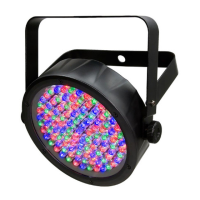
LED count108 (36 red, 36 green, 36 blue)
LED lifespan100, 000 hrs
Photo Optic IconPhoto Optic
luminance @ 1 m1, 290 lux
beam angle21°
field angle32°
Operating Environment IconOperating Environment
maximum ambient temperature104° F (40° C)
Weight and Dimensions IconWeight and Dimensions
length9.5 in (241 mm)
width8.8 in (224 mm)
height2.2 in (56 mm)
weight2.7 lbs (1.2 kg)

Related product manuals