
 Need help?
Do you have a question about the CHCNAV HCE320 and is the answer not in the manual?
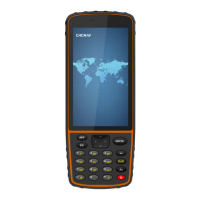
Introduces the HCE320 handheld GNSS data collector and its physical interface.
Lists essential items included with the HCE320 data controller.
Explains the meaning of various icons displayed on the device screen.
Describes the features and benefits of the LandStar 7 software for surveying.
Provides instructions on powering the HCE320 device on and off.
Guides users on how to install SIM and SD cards into the data controller.
Explains the function of the physical and virtual keyboard keys.
Details the process of charging the HCE320 data controller.
Conveys critical information regarding charging and device durability.
Explains how to manage and transfer data using the device and SD card.
Guides users to select and configure network connection types.
Provides steps to reset the data controller to its original factory state.
Details how to configure location settings and connect for measurement.
 General
| Brand | CHCNAV |
|---|---|
| Model | HCE320 |
| Category | Data Loggers |
| Language | English |

 To Next Page