2 Getting Started
2.1
Switch On/Off
Long press [Power] key for switch on HCE320.
In the state of power-on, short press [Power] key to enter sleep mode,
long press [Power] key will pop-up select screen, select [Power Off]
option to switch off.
2.2
SIM/SD Card Installation
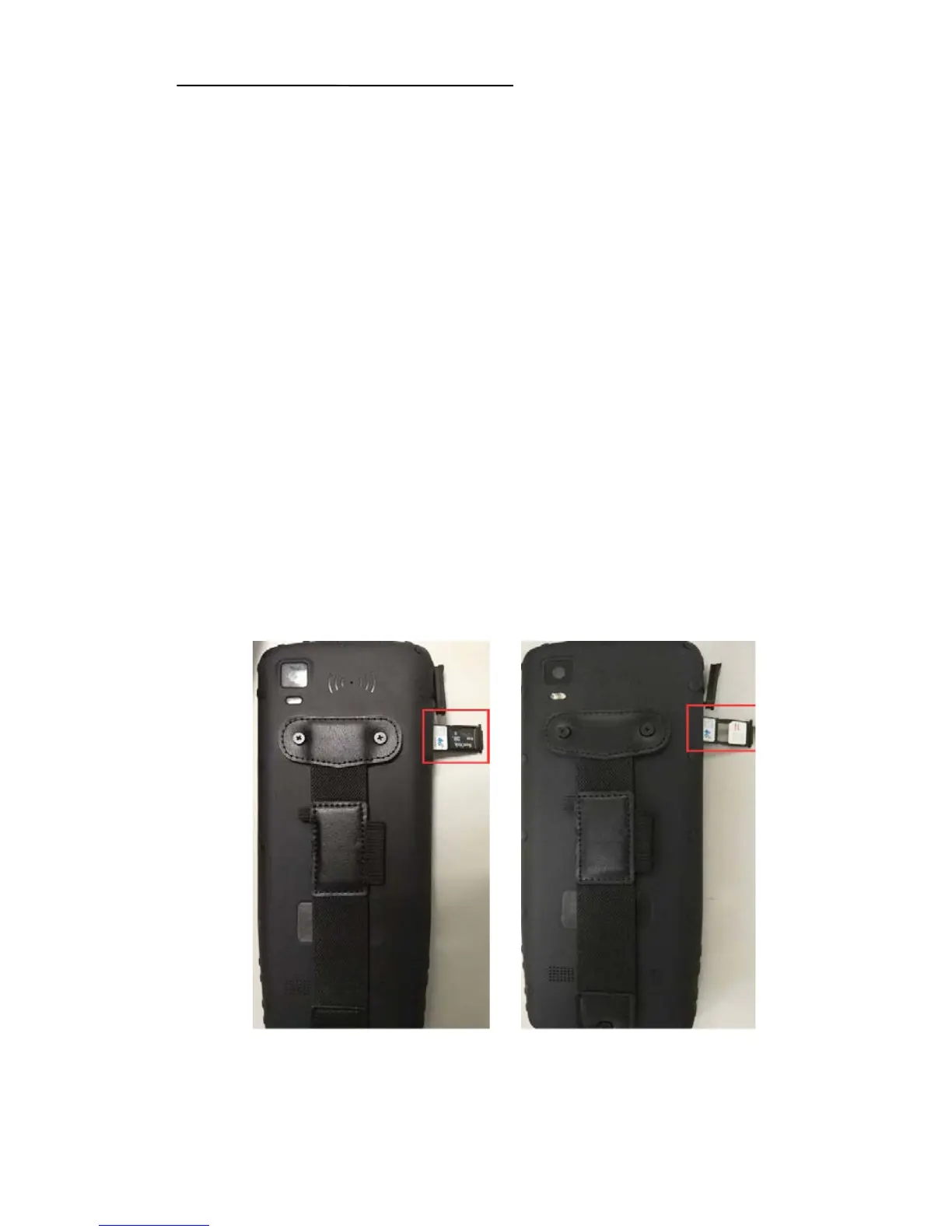
Single SIM card and SD card installation
User the head of stylus to take out the slot, put SIM card and SD card
in the position as shown in left picture, and then insert the slot.
Dual SIM card installation
User the head of stylus to take out the slot, put SIM card in the
position as shown in right picture, and then insert the slot.
SD card activate process



 To Next Page