3
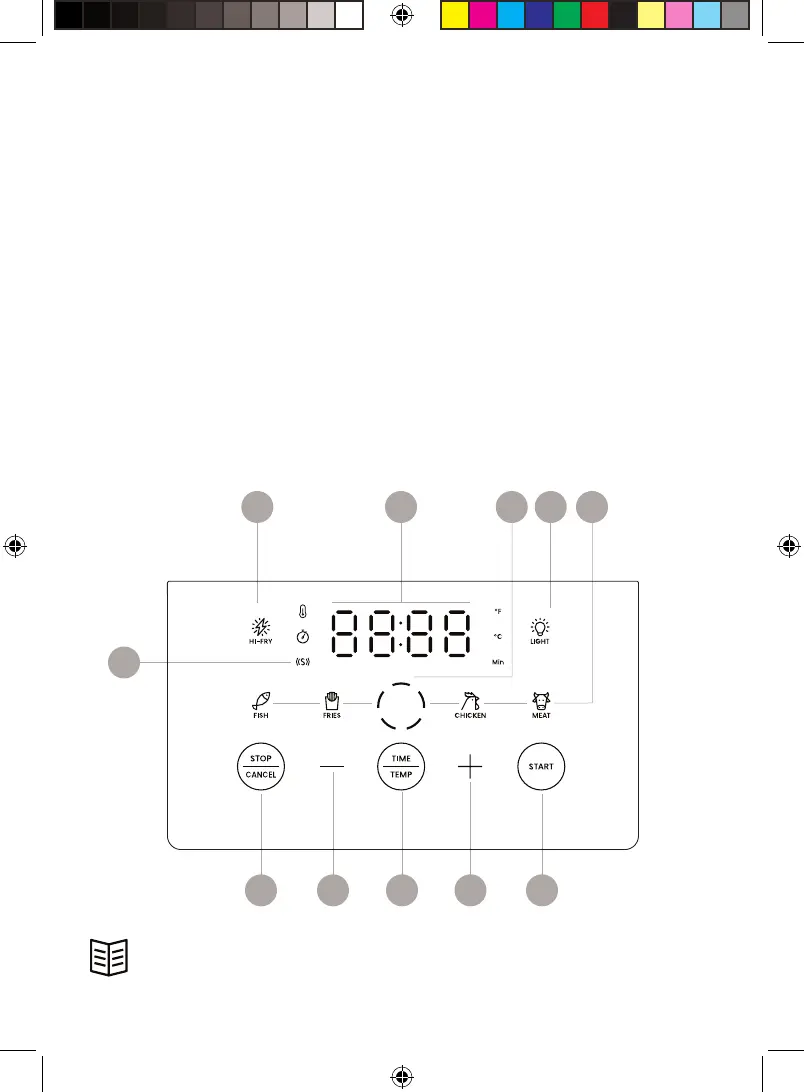
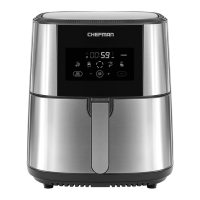
Control Panel
1. Shake indicator
2. HI-FRY button
3. Temperature/time display
4. Dash display
5. Light button
6. Cooking preset buttons
7. START button
8. Plus sign button
9. TIME-TEMP button
(press and hold to switch between °C and °F)
10. Minus sign button
11. STOP-CANCEL button
READ ALL INSTRUCTIONS BEFORE USE
For your safety and continued enjoyment of this product,
always read the instruction manual before using.
3
2
1
54
11 710 9 8
6






 To Next Page