9
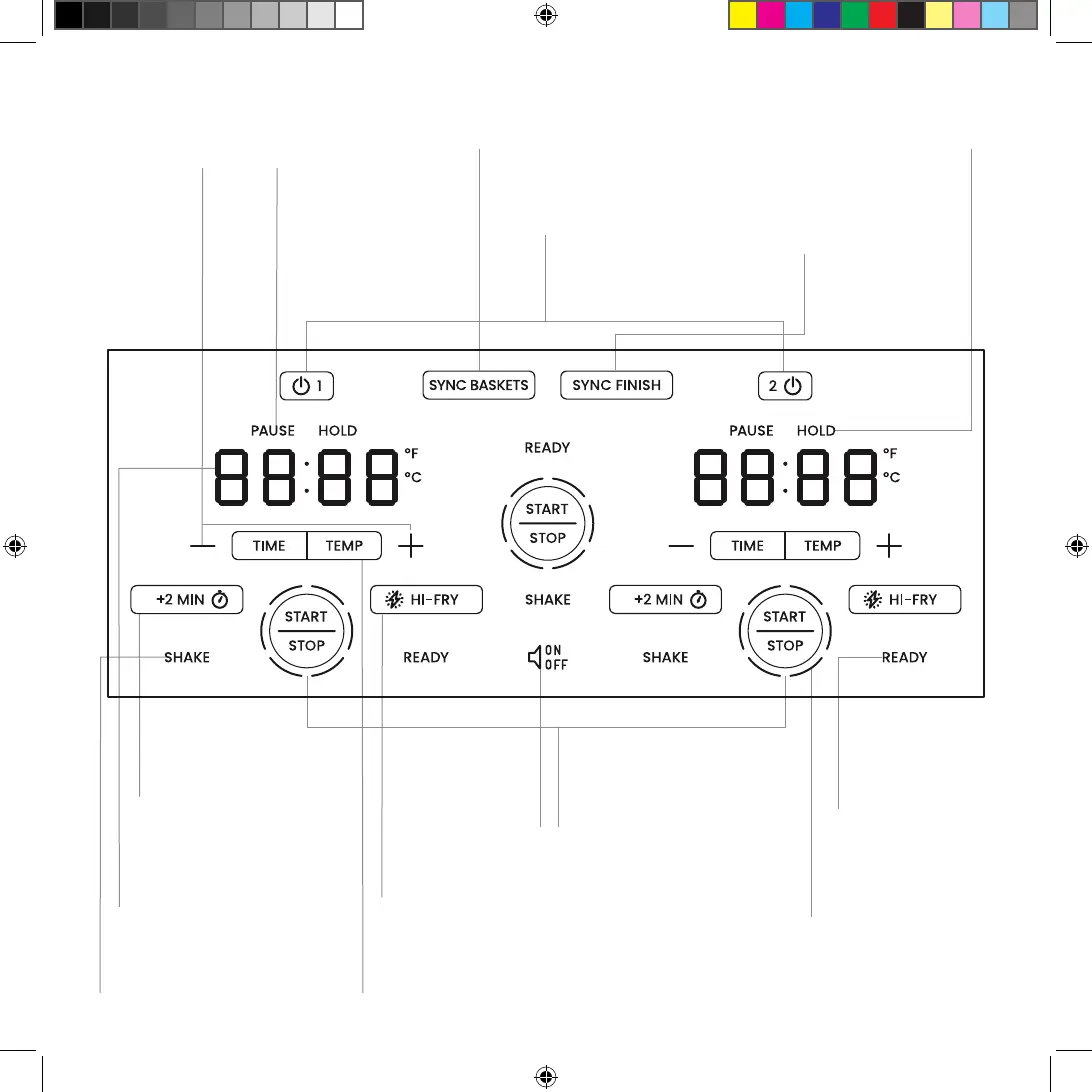
CONTROL PANEL
Basket 1/Basket 2
Activates its respective
basket for programming
when pressed.
SYNC FINISH
Programs baskets with
dierent cooking times
and/or temperatures to
finish at the same time.
SYNC BASKETS
Program both baskets
to cook at the same
time and temperature.
HOLD Lights
Illuminate when a basket
is waiting to start so it
will sync finish with the
other basket.
PAUSE Lights
Illuminate when a
basket is pulled out to
check on or flip food.
Time/Temp Displays
Toggle between time
and temperature for
each basket.
+2 MIN Buttons
Add 2 minutes at the
same temperature to the
end of the cooking cycle.
START/STOP Buttons
Start and stop the cooking cycle for
its corresponding basket. Use the
center START/STOP button when
using Sync Finish or Sync Baskets.
READY Lights
Illuminate in green at
the end of the cooking
cycle to indicate food
is ready.
Circular Progress Bar
Segments progressively
illuminate during the
cooking cycle.
TIME/TEMP Buttons
Select TIME to set time or TEMP to set temperature
for the corresponding basket. (Press and hold on
either side to switch unit between °F and °C display.)
HI-FRY Buttons
Raise cooking temperature to 235°C/450°F
for 2 minutes for a little extra browning.
Mute Button
Mutes beeps on
the unit (press
again to turn
sound back on).
SHAKE Lights
Illuminate halfway through
cooking as a reminder to
flip or shake foods.
+/- Buttons
Increase
or decrease
time and
temperature.






 To Next Page