support@chekoh.net
22
5.5 Multi-person Sharing
Each camera can be managed by several Chekoh app. The camera can be shared with
up to 14 accounts for simultaneous viewing.
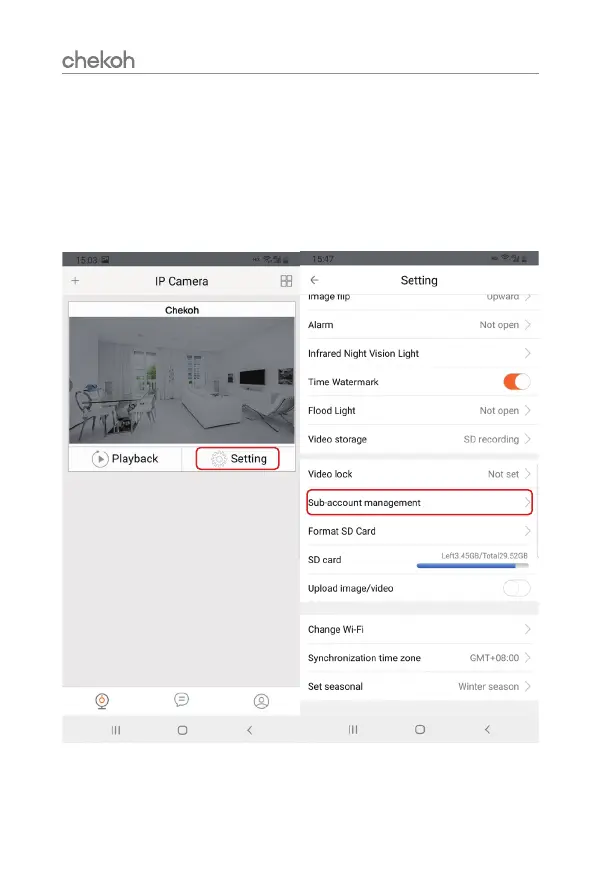
1. After you setup the camera connected to your home Wi-Fi, go to setting page.
2. Tap 'setting' > 'Sub-account management' > Enter the sharer's account and save.
3. The sub-account can use all the functions of the real-time video page.
4. The sub-account can NOT change the settings.


 To Next Page