support@chekoh.net
34
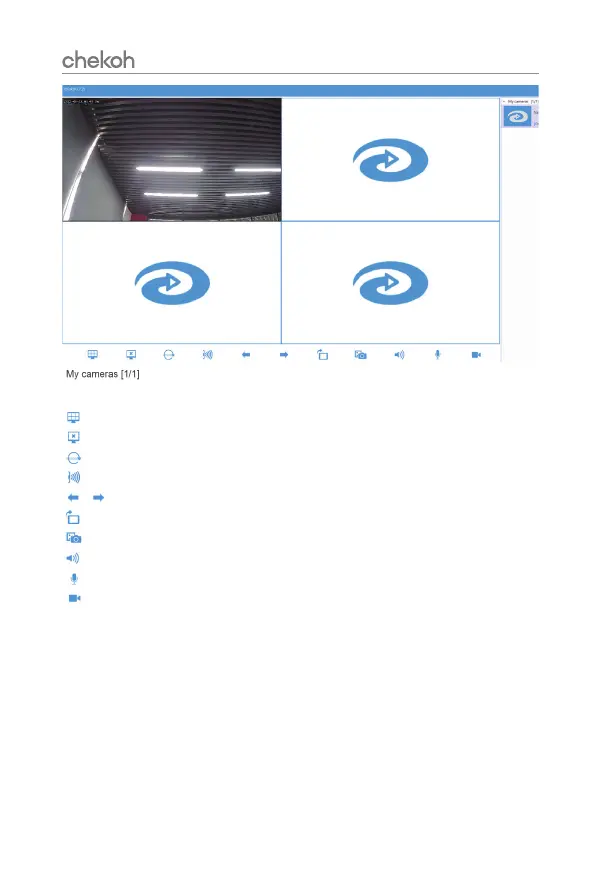
View all the devices under your account, click on the device, the right
window will display the device.
Click this icon to switch window display type.
Close selected window.
Click this icon to modify the picture quality.
Click this icon to set alarm information.
Click to see the cameras on the next page or previous page.
Click this icon to change the screen orientation.
Click this icon to take a real-time picture.
Click this icon to open the screen sound.
Click this icon to achieve two-way conversation.
Click this icon to record the screen video.
Note: The pictures and videos will be stored in *:\VideoFile\


 To Next Page