Need help?
Do you have a question about the Cherry DC 2000 and is the answer not in the manual?
Button function for Calculator, labeled in multiple languages.
Button function for E-Mail program, labeled in multiple languages.
Button function for Browser Home Page, labeled in multiple languages.
Button function for Standby mode, labeled in multiple languages.
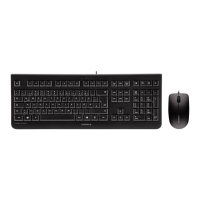
Instructions on how to connect the keyboard and mouse to the PC or laptop via USB.
Guidance on optimal surfaces for mouse usage to ensure accuracy and efficiency.
Safe procedures for cleaning the keyboard and mouse, warning against harsh agents.
Information on Repetitive Strain Injury and ergonomic tips for keyboard and mouse use.
Steps to diagnose and resolve potential keyboard/mouse connectivity or functionality problems.
Details for contacting CHERRY support for inquiries about the product.
Recommendations for product care, storage, and warranty validity.
Information regarding the statutory warranty and how to contact the dealer.
Compliance statement regarding radio frequency interference according to FCC rules.
Statement regarding UL listing and compatibility with Personal Computers.
 General
| Purpose | Universal |
|---|---|
| Certification | c-tick, UL, CE, FCC, TÜV-Süd/GS |
| Numeric keypad | Yes |
| Keyboard layout | QWERTZ |
| Pointing device | No |
| Device interface | USB |
| Keyboard language | German |
| Recommended usage | Office |
| Number of hot keys | 4 |
| Keyboard key switch | - |
| Keyboard form factor | Full-size (100%) |
| Connectivity technology | Wired |
| Keyboard number of keys | 109 |
| Keyboard keys operating life | 10 million characters |
| Product color | Black |
| Keyboard style | Straight |
| Surface coloration | Monochromatic |
| Cable length | 1.8 m |
| Power consumption | 50 mA |
| Scroll type | Wheel |
| Buttons type | Pressed buttons |
| Buttons quantity | 3 |
| Illumination color | Blue |
| Number of scroll wheels | 1 |
| Movement detection technology | Optical |
| Storage temperature (T-T) | -20 - 65 °C |
| Operating temperature (T-T) | 0 - 50 °C |
| Package depth | 198 mm |
| Package width | 546 mm |
| Package height | 45 mm |
| Package weight | 596 g |
| Harmonized System (HS) code | 84716060 |
| Number of cartons per pallet | 18 pc(s) |
| Quantity per master (outer) case | 6 pc(s) |
| Number of products included | 1 pc(s) |
 Weight and Dimensions
| Mouse weight | 90 g |
|---|---|
| Keyboard weight | 530 g |
| Mouse dimensions (WxDxH) | 62 x 109 x 37 mm |
| Keyboard dimensions (WxDxH) | 458 x 170 x 20 mm |

 To Next Page