Need help?
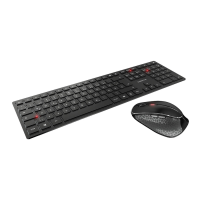
Do you have a question about the Cherry DW 8000 and is the answer not in the manual?
Indicates the battery status of the device.
Opens the multimedia program on the device.
Controls for media playback, volume adjustment, and sound on/off.
Instructions for connecting the wireless receiver to the computer.
Procedure for replacing batteries in the wireless mouse.
Procedure for replacing batteries in the wireless keyboard.
How to change the mouse sensor resolution between 1000 and 2000 dpi.
Explains the battery status LED and when to replace batteries.
Recommendations for surfaces to ensure optimal mouse performance.
Safe methods for cleaning the keyboard and mouse, including cautions.
Information on Repetitive Strain Injury and how to prevent it.
Steps to resolve common issues with the wireless desktop.
Proper methods for disposing of electronic waste.
Guidelines for environmentally responsible battery disposal.
Detailed technical specifications for the keyboard, mouse, and receiver.
How to contact Cherry for support and information.
Important advice regarding product care, modifications, and usage.
Details on the statutory warranty and how to obtain service.
Statement of compliance with EU directives.
Information regarding FCC regulations and interference.
Information regarding UL safety standards.
 General
| Hot keys | Yes |
|---|---|
| Certification | c-tick, UL, CE, FCC |
| Frequency band | 2.4 - 2.483 GHz |
| Keyboard layout | QWERTZ |
| Pointing device | No |
| Device interface | RF Wireless |
| Keyboard language | German |
| Recommended usage | Universal |
| Number of hot keys | 5 |
| Keyboard key switch | Mechanical |
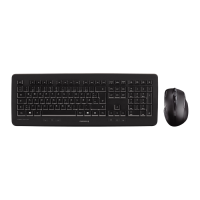
| Keyboard form factor | Full-size (100%) |
| Connectivity technology | Wireless |
| Keyboard number of keys | 109 |
| Keyboard keys operating life | 10 million characters |
| Product color | Silver, White |
| Keyboard style | Straight |
| Surface coloration | Monochromatic |
| Protection features | Splash proof |
| Form factor | Ambidextrous |
| Scroll type | Wheel |
| Buttons type | Pressed buttons |
| Buttons quantity | 3 |
| Mouse battery type | AAA |
| Scrolling directions | Vertical |
| Number of scroll wheels | 1 |
| Movement detection technology | Laser |
| Number of movement resolution modes | 2 |
| Wireless range | 10 m |
| Receiver weight | 6 g |
| Number of products included | 1 pc(s) |
| Receiver dimensions (WxDxH) | 42 x 18 x 8 mm |
| Power source type | Battery |
| Number of batteries supported | 4 |
| Storage temperature (T-T) | -20 - 60 °C |
| Operating temperature (T-T) | 0 - 40 °C |
| Package type | Box |
| Package depth | 230 mm |
| Package width | 580 mm |
| Package height | 35 mm |
| Package weight | 1184 g |
| Quantity per pallet | 144 pc(s) |
| Quantity per master (outer) case | 6 pc(s) |
 Weight and Dimensions
| Mouse weight | 127 g |
|---|---|
| Keyboard weight | 722 g |
| Mouse dimensions (WxDxH) | 107 x 60 x 27 mm |
| Keyboard dimensions (WxDxH) | 441 x 165 x 18 mm |

 To Next Page