Need help?
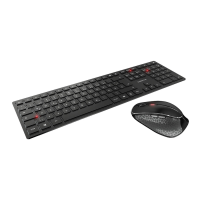
Do you have a question about the Cherry DW 5100 and is the answer not in the manual?
Provides essential safety warnings and instructions for safe operation of the wireless desktop set.
Guides users through connecting the wireless keyboard and mouse receiver to a computer via USB.
Explains how to adjust mouse pointer speed by changing DPI setting using the dedicated button.
Advice on optimal mouse surfaces for effectiveness and energy saving, plus auto-shutdown details.
Interpreting battery status indicators and safe cleaning procedures for the keyboard and mouse.
Information on Repetitive Strain Injury (RSI) and ergonomic tips for workspace setup and posture.
Solutions for common problems like connection failures and devices not responding.
Instructions for proper disposal of electronic units and batteries, emphasizing environmental protection.
Details on supply voltage, current consumption, operating frequency, and temperature ranges.
General notes on product modifications, usage, and storage, and validity of instructions.
Information on statutory warranty, contacting specialists, and voiding warranty through modifications.
States the product's compliance with European directives and provides a link to the full declaration.
Outlines FCC compliance rules, including interference guidelines and user responsibilities.
Specifies usage requirements for UL-listed personal computers.
 General
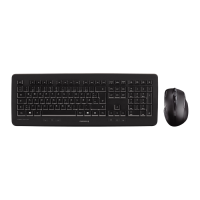
| Purpose | Universal |
|---|---|
| Hot keys | Yes |
| Certification | c-tick, CE, FCC, cTUVus |
| Frequency band | 2.4 - 2.483 GHz |
| Keyboard layout | QWERTZ |
| Pointing device | No |
| Device interface | RF Wireless |
| Keyboard language | German |
| Recommended usage | Office |
| Number of hot keys | 10 |
| Keyboard key switch | - |
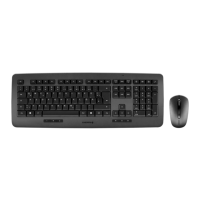
| Keyboard form factor | Full-size (100%) |
| Connectivity technology | Wireless |
| Keyboard number of keys | 105 |
| Keyboard keys operating life | 10 million characters |
| Product color | Black |
| Keyboard style | Straight |
| Surface coloration | Monochromatic |
| Wireless range | 5 m |
| Receiver type | Nano receiver |
| Receiver weight | 3 g |
| Number of products included | 1 pc(s) |
| Receiver dimensions (WxDxH) | 39.35 x 14 x 7.5 mm |
| Power source type | Battery |
| Keyboard battery type | AAA |
| Number of batteries (keyboard) | 2 |
| Form factor | Right-hand |
| Scroll type | Wheel |
| Buttons type | Pressed buttons |
| Buttons quantity | 5 |
| Mouse battery type | AA |
| Number of scroll wheels | 1 |
| Movement detection technology | Optical |
| Storage temperature (T-T) | -15 - 60 °C |
| Operating temperature (T-T) | 0 - 40 °C |
| Quantity per pallet | 108 pc(s) |
| Number of cartons per pallet | 18 pc(s) |
| Quantity per master (outer) case | 6 pc(s) |
| Package type | Box |
| Package depth | 210 mm |
| Package width | 590 mm |
| Package height | 51 mm |
| Package weight | 1500 g |
 Weight and Dimensions
| Mouse weight | 113 g |
|---|---|
| Keyboard weight | 800 g |
| Mouse dimensions (WxDxH) | 112.53 x 64.97 x 34.11 mm |
| Keyboard dimensions (WxDxH) | 467.7 x 171.5 x 21.6 mm |

 To Next Page