8
3.4 Troubleshooting
1 Check whether the batteries are inserted
correctly and have sufficient voltage.
2 Connect the receiver to another USB port on
the PC.
3 Establish a new connection to the receiver:
Mouse:
• Switch the mouse off.
• Press the scroll wheel and switch the
mouse on at the same time.
Keyboard:
•Press the esc and Q keys on the keyboard at
the same time.
• Release the keys when the battery status
LED on the keyboard flashes after
approx. 3 seconds.
• Set up your workspace ergonomically.
• Position the keyboard and mouse in such a
manner that your upper arms and wrists
are outstretched and to the sides of your
body.
• Take several short breaks, with stretching
exercises if necessary.
• Change your posture often.
4 Disposal
4.1 Disposing of the old units
Dispose of the old units via a collect-
ing point for electronic scrap or via
your dealer.
4.2 Disposing of the batteries
This device contains alkaline batteries.
Do not dispose of them in the house-
hold waste. Batteries may contain pol-
lutants which can harm the environment and
health. Dispose of the batteries with the device
in a retail outlet or at your local recycling
depot. Returning the device is compulsory and
free of charge.
All batteries are recycled. This enables valu-
able resources to be restored such as iron,
zinc or nickel. Recycling batteries is the easi-
est contribution you can make towards envi-
ronmental protection.
Thank you for your cooperation.
5 Technical data
6Contact
ZF Friedrichshafen AG
Electronic Systems
Cherrystraße
91275 Auerbach
Germany
Internet: www.cherry-world.com
E-mail: info@cherry.de
Please provide the following information about
the device when you make an enquiry:
• Item and serial no. of the product
• Name and manufacturer of your system
• Operating system and, if applicable,
installed service pack version
Designation Value
Supply voltage Keyboard/mouse:
1.9 ... 3.0 V SELV
Receiver:
5.0 V/DC ±5 % SELV
Current consumption Keyboard: typ. 1.5 mA
Mouse: typ. 5 mA
Receiver: typ. 30 mA
Keyboard/mouse
batteries
2 alkaline batteries,
type LR03 (AAA) each
Storage temperature –20 °C ... +60 °C
Operating temperature 0 °C ... +40 °C
OPERATING MANUAL
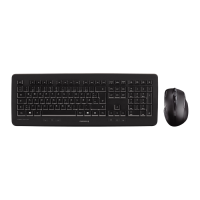
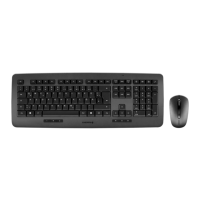
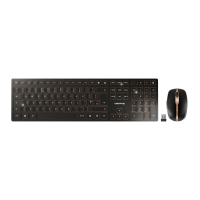
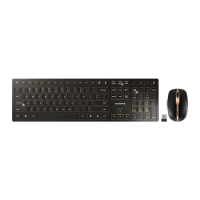
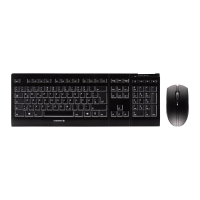
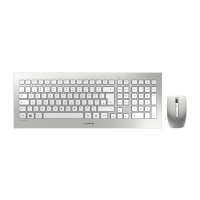
CHERRY DW 8000 – Wireless Desktop
US


 To Next Page