8. Troubleshooting
If the keyboard is not working
properly
➭ Check all connections; a loose
keyboard cable is often the cause of
problems.
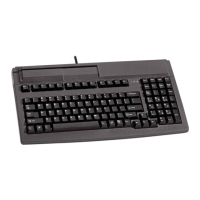
If the smartcard terminal is not
working properly
➭ Check that the smartcard is positioned
correctly in the reader; check that it is
fully inserted and facing in the right
direction.
➭ Check the I/O port settings in your PC
software and change them if
necessary.
➭ Reboot the PC and watch the status
indicators (LEDs; see above). Contact
your maintenance provider if
necessary.
➭ Check that your smartcard is
supported by the reader/software.
➭ Check installation of Cherry driver.
9. Care and Maintenance
Both the keyboard and smartcard reader
are zero-maintenance devices. To protect
the keyboard itself from dust, dirt and
spills, you can fit it with a protective film
(cf. Accessories). With a protective film
fitted, you can use the keyboard in more
demanding environments.
10.Technical Specifications
Power supply
(through PC keyboard port):
+5V ±5% SELV
Current input:
Typically 50 mA; 100 mA max.
Dimensions (L x W x H mm):
458 x 195 x 53.1 mm
Temperature range:
- Operating temperature: 0 °C to +50 °C
- Storage temperature: -20 °C to +60 °C
Interfaces:
- IBM-compatible keyboard interface
(6-pin mini-DIN connector)
- Optional: serial interface
(9-pin SUB-D jack)
11. Accessories
- WetEx
®
protective film
10




 To Next Page